Commission Pay Calculator
Enter the total sales for the period, the commission rate, and any base pay, and the tool works out the commission earned, the gross pay, and the effective commission rate. Switch on the tiered rate if your plan pays a higher rate above a sales threshold.
All figures are gross pay for the period, before tax and before any deduction. The calculation runs in your browser; your figures are not uploaded or stored.
Commission pay is the money a salesperson earns as a percentage of the sales they make. Enter the total sales, the commission rate and any base pay, and this tool works out the commission earned, the gross pay for the period, and the effective commission rate — with a tiered rate option for plans that pay more above a sales threshold.
How do I use the Commission Pay Calculator?
Enter the total sales amount for the period — the value of everything you sold that counts toward commission, in the same currency as your pay. Enter the commission rate as a percentage: enter 5 for 5 percent, not 0.05. Enter the base pay for the same period if your plan has one, and leave it blank if you are on commission only. If your plan pays a higher rate once sales pass a threshold, tick “Use a tiered rate”, enter the threshold and the higher rate. Press Calculate commission pay.
The tool shows three results. Commission earned is the variable pay: sales multiplied by the rate, or the sum of the two tier bands when tiered mode is on. Gross pay is base pay plus commission — the total pay for the period before tax and before any deduction. Effective commission rate is commission earned divided by total sales, times 100: the average rate across all your sales, which is the number that lets you compare two offers fairly. When tiered mode is on, a tier breakdown appears below the results, showing how much each band of sales paid and at which rate, and the note under the results shows the working in full.
If an input is wrong, the tool shows a plain-language error and no results. A blank sales amount is rejected with “Enter the total sales amount.” Negative sales are rejected with “Sales cannot be negative.” A sales amount above 1,000,000,000 is rejected. A blank rate is rejected with “Enter the commission rate.” A rate below 0 or above 100 is rejected with “The commission rate must be between 0 and 100.” A base pay that is not a number is rejected with “Enter the base pay as a number, or leave it blank.” A negative base pay is rejected with “Base pay cannot be negative.” With tiered mode on, a blank threshold is rejected with “Enter the tier threshold.”, a negative threshold with “The tier threshold cannot be negative.”, a blank higher rate with “Enter the higher tier rate.”, a higher rate below 0 or above 100 with “The higher tier rate must be between 0 and 100.”, and a higher rate at or below the flat rate with “The higher tier rate must be above the flat rate.” A rate of 0 is accepted and gives a commission of $0.00, which is the correct answer for a plan that pays nothing on sales.
What does a worked example look like?
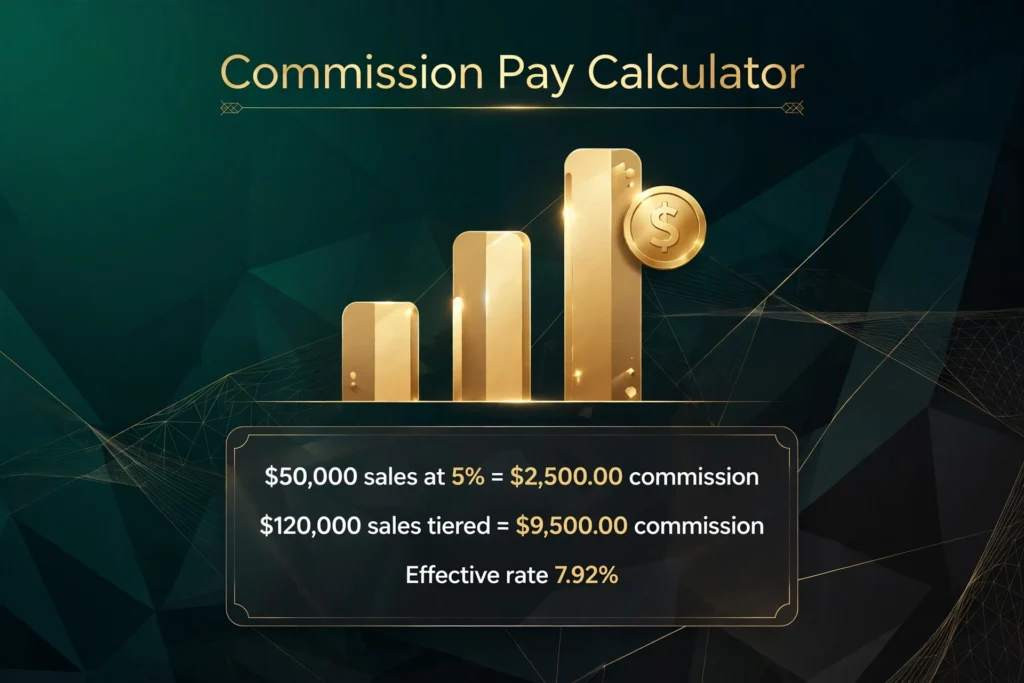
Take $50,000 of sales at a flat rate of 5 percent, with no base pay. The commission is $50,000 x 5 / 100 = $2,500.00. The gross pay is $0.00 base pay plus $2,500.00 commission, which is $2,500.00. The effective commission rate is $2,500.00 / $50,000 x 100 = 5.00 percent. The note under the results reads “$50,000.00 x 5% = $2,500.00 commission.”
A second example adds a base pay. Take $40,000 of sales at 8 percent, with a base pay of $3,000. The commission is $40,000 x 8 / 100 = $3,200.00. The gross pay is $3,000.00 plus $3,200.00, which is $6,200.00. The effective commission rate is $3,200.00 / $40,000 x 100 = 8.00 percent. The base pay does not change the commission or the effective rate; it only changes the gross pay. That is why the effective rate is a cleaner comparison between two jobs than the gross pay: the gross pay mixes the guaranteed part with the earned part, and the effective rate isolates the earned part.
A third example uses the tiered rate. Take $120,000 of sales, a flat rate of 5 percent up to a threshold of $50,000, and a higher rate of 10 percent above that threshold, with no base pay. The first $50,000 pays 5 percent, which is $2,500.00. The remaining $70,000 pays 10 percent, which is $7,000.00. The commission is $2,500.00 plus $7,000.00, which is $9,500.00. The gross pay is $9,500.00. The effective commission rate is $9,500.00 / $120,000 x 100 = 7.92 percent. The tier breakdown shows both bands: first $50,000.00 of sales at 5 percent gives $2,500.00, and sales above $50,000.00 at 10 percent give $7,000.00.
A fourth example is the commission-only case: $30,000 of sales at 8 percent, with the base pay left blank. The commission is $30,000 x 8 / 100 = $2,400.00, the gross pay is $2,400.00, and the effective rate is 8.00 percent. The blank base pay is treated as $0.00, so the whole pay is commission.
A fifth example is zero sales: $0 of sales at 5 percent, with a base pay of $2,000. The commission is $0.00, the gross pay is $2,000.00, and the effective rate is 0.00 percent. Zero sales is not an error: it is the correct answer for a period with no sales, and the base pay is what the person takes home for that period before tax.
A sixth example sits exactly on the tier boundary: $50,000 of sales, a flat rate of 5 percent up to a $50,000 threshold, and a higher rate of 10 percent above it. The first $50,000 pays 5 percent, which is $2,500.00, and nothing sits above the threshold, so the second band pays $0.00. The commission is $2,500.00 and the effective rate is 5.00 percent. The higher rate only starts on the dollar above the threshold, never on the threshold itself.
A seventh example uses a decimal rate: $12,500 of sales at 7.5 percent, with a base pay of $1,500. The commission is $12,500 x 7.5 / 100 = $937.50. The gross pay is $1,500.00 plus $937.50, which is $2,437.50. The effective rate is 7.50 percent.
What is commission pay?
Commission pay is variable pay tied to sales. Instead of a fixed wage for the hours worked, the salesperson earns a share of the value they sell: a percentage of each sale, sometimes on top of a base salary and sometimes as the whole pay. The share is set in the pay plan or contract, and the plan also decides which sales count, what the percentage applies to, when it is paid, and what happens to it if a sale is cancelled or returned.
In real estate, the same money is often called gross commission income, or GCI: the total commission generated by a sale before anything is taken out of it. A $400,000 home sold at a total commission of 5 percent generates $20,000 of gross commission income, but that $20,000 is not one person’s pay. It is split between the listing side and the buyer’s side, usually about half each, and each side is then split again between the brokerage and the agent. At a 3 percent listing-side rate on that same $400,000 home, the listing side is $12,000.00 before the brokerage split, which is the figure this tool gives for $400,000 of sales at 3 percent. The agent’s own share comes after the split, so the tool’s figure is the gross commission on the sales entered, not the final amount in the agent’s pocket.
Commission pay is also called an incentive, which is why “incentive calculator” is a common search for the same tool. The incentive is the point: the pay rises with the sales, so the salesperson gains by selling more. A base salary pays the same whether the month is busy or quiet. Commission pay does not, which is why it is usually paired with a base salary in roles where a steady income matters, and why it stands alone in roles where the seller controls the whole pipeline, such as real estate agency and some insurance sales.
How is commission pay calculated?
Three formulas cover almost every plan. Straight commission is commission = sales x rate / 100. Base plus commission is gross pay = base pay + (sales x rate / 100). Tiered commission adds up each band separately: commission = (sales in band 1 x rate 1) + (sales in band 2 x rate 2), and so on for every band the salesperson reaches. This tool does all three: straight commission when no base pay and no tier are entered, base plus commission when a base pay is entered, and tiered commission when the tiered option is on.
The first step is always the same: decide which sales count. Most plans pay only on commissionable sales, which usually means completed sales, minus returns, cancellations and sales that fall outside the salesperson’s territory or product list. A $50,000 order that is cancelled before delivery is not $50,000 of commissionable sales, and a sale made by a colleague in another territory does not belong in your total even if your name is on the paperwork. The plan document decides the list, and the tool takes the total you enter at face value, so enter the commissionable total, not the raw order book.
The second step is the rate, and the rate is only meaningful with its base stated next to it. A rate of 5 percent on the sale price and a rate of 5 percent on the gross profit are different pay, because the gross profit is the sale price minus the cost of the goods. On a $50,000 sale with $30,000 of cost, 5 percent of the sale price is $2,500.00, while 5 percent of the $20,000 gross profit is $1,000.00. Car sales work the second way: the commission is usually 20 to 25 percent of the dealership’s gross profit per vehicle, not of the sticker price. A car sold with $4,000 of gross profit at 25 percent pays $1,000.00, even though the car itself may have cost the buyer $30,000. Retail and software sales usually work the first way, on the sale value or the contract value. Always read which base your plan uses before comparing rates.
The third step is the period. Commission is calculated for a period — a week, a month, a quarter — and the base pay, the sales and the rate must all belong to the same period. A monthly base pay of $3,000 added to commission on a quarter’s sales would overstate the quarter, and a quarterly base pay added to a month’s commission would understate it. This tool does not ask for a period, so it treats whatever you enter as one period: enter the base pay and the sales for the same period, and the gross pay is the pay for that period.
A fourth calculation runs the other way: the sales needed to reach a target pay. The formula is (target pay − base pay) / rate. To earn $70,000 in a period with a $50,000 base pay and a 10 percent rate, the sales needed are ($70,000 − $50,000) / 10 percent, which is $20,000 / 0.10 = $200,000.00. Check it against the tool: $200,000 of sales at 10 percent gives $20,000.00 of commission, plus the $50,000 base pay, which is $70,000.00 gross pay.
What is a tiered commission plan?
A tiered commission plan pays a higher rate as sales grow. The plan sets thresholds, and each band of sales above a threshold earns a higher rate than the band below it. The tool applies tiers the marginal way, the way tax brackets work: each rate applies only to the sales inside its own band. The $120,000 example above shows it: 5 percent on the first $50,000 and 10 percent on the $70,000 above it, giving $9,500.00 in total, at an effective rate of 7.92 percent. A second tiered example at a lower volume: $75,000 of sales, 5 percent up to $50,000 and 8 percent above it, gives $2,500.00 on the first band and $2,000.00 on the $25,000 above it, for $4,500.00 in total, at an effective rate of 6.00 percent.
The marginal method is not the only way tiers are written. Some plans use the retroactive method, sometimes called the cliff method, where the highest rate reached applies to every dollar of sales, not only to the sales above the threshold. The two methods can pay very different amounts on the same sales, and the plan document decides which one applies. Take $120,000 of sales with three bands: 5 percent up to $50,000, 7 percent from $50,000 to $100,000, and 10 percent above $100,000. The marginal method gives $2,500.00 on the first $50,000, $3,500.00 on the next $50,000, and $2,000.00 on the last $20,000, for $8,000.00 in total, at an effective rate of 6.67 percent. The retroactive method pays 10 percent on the whole $120,000, which is $12,000.00, at an effective rate of 10.00 percent. The gap is $4,000.00 on the same sales, from the method alone. This tool uses the marginal method only, and says so in the article, so a plan that pays retroactively should not be checked against it: run the retroactive arithmetic by hand, or divide the total by the sales to check the effective rate.
Tiers exist to reward volume: the extra sales past a threshold are worth more per dollar than the sales below it. That is also why a tiered plan can make a salesperson push hard for one more deal at the end of a period — the deal that crosses the threshold pays at the higher rate, and in a retroactive plan it reprices everything below it too. The marginal method avoids the sharp jump: crossing a threshold never reprices the sales below it, so the pay rises smoothly with the sales.
What is 100% commission?
One hundred percent commission means the whole pay is commission: there is no base salary, and the salesperson earns only what the sales generate. The $30,000 example above is one: $30,000 of sales at 8 percent, with no base pay, gives $2,400.00 of commission and $2,400.00 of gross pay. A month with no sales pays nothing, and a strong month pays more than a salaried role would, which is the trade the salesperson accepts.
Real estate agency is the best-known 100 percent commission role. The agent earns a share of the commission on each completed sale and nothing in a month with no completions, and the brokerage takes its split from the same commission. Insurance sales often work the same way for new policies, with a high first-year rate and a lower renewal rate in later years. Some retail and direct-sales roles are also commission only, usually with a lower rate than a salaried role would carry, because the whole pay is at risk.
The tool handles 100 percent commission by leaving the base pay blank, which the tool reads as $0.00. The gross pay then equals the commission earned, and the effective rate equals the flat rate when no tier is used. When a tier is used, the effective rate is higher than the flat rate, because part of the sales earned the higher rate: the $120,000 tiered example gives an effective rate of 7.92 percent against a flat rate of 5 percent, which is the extra $2,000.00 the tier added over a flat 5 percent on the whole $120,000, which would have been $6,000.00.
What are typical commission rates by industry?
There is no single standard rate. Rates vary by industry, by deal size, by whether a base salary is paid, and by what the percentage applies to. The ranges below are the consensus ranges from 2026 benchmark guides (Sales Cookie’s 2026 benchmark guide, Visdum’s 2026 benchmarks, and the rate tables published by Digicalc, CalculatorLib and CalcFinch), drawn mostly from United States practice. They are ranges to sanity-check an offer or a payout, not rules, and the rate written into your own plan or contract is the one that counts.
| Industry or role | Typical rate range | What the percentage applies to |
|---|---|---|
| Residential real estate (total per home, US) | About 5–6% of sale price; about 5.7% combined in 2026, roughly 2.88% listing side and 2.82% buyer side | Gross sale price of the property; usually split between listing side and buyer side, then split again between brokerage and agent |
| SaaS / B2B account executive, new business | 8–14% of annual contract value; about 10% is a common rule of thumb | First-year contract value or annual contract value (ACV) |
| SaaS renewals | 3–5% of renewal ACV | Renewal contract value |
| Car sales (US dealership) | 20–25% per vehicle, commonly 25% | Dealer gross profit per vehicle, not the sticker price; a flat $100–$200 “mini” often applies when a deal sells at or below cost |
| Retail | 2–7% of sale value | Sale value; often on top of an hourly wage rather than a full commission-only structure |
| Insurance (new policy) | 5–20% of first-year premium | First-year premium; renewal rates are lower |
| Manufacturing | 7–15% of sale value | Sale value; straight commission or base plus commission |
Three things in the table are worth reading closely. First, the base matters more than the rate: a 25 percent car-sales rate looks large next to a 3 percent real-estate rate, but the car rate applies to a few thousand dollars of gross profit while the real-estate rate applies to the whole sale price, so the real-estate commission in dollars is usually far larger. Second, a base salary usually means a lower rate: a SaaS role with a 50/50 base-to-variable mix pays about 10 percent of contract value, while a commission-only role in the same industry would pay more per dollar of sales, because the whole income is at risk. Third, the ranges are wide because the deals are wide: a 2 percent rate on a $1,000,000 contract pays $20,000.00, while a 10 percent rate on a $10,000 contract pays $1,000.00, so the rate alone says nothing about the pay without the deal size.
What is the effective commission rate, and why does it matter?
The effective commission rate is the commission earned divided by total sales, times 100. It is the average rate across all your sales for the period, after tiers, and it is the one figure that compares cleanly between two offers. The headline rate is not enough, because tiers, thresholds and the base the rate applies to all move the payout away from the printed number.
Two offers show why. Offer A pays a flat 8 percent on $40,000 of sales with a $3,000 base pay: commission $3,200.00, gross pay $6,200.00, effective rate 8.00 percent. Offer B pays 5 percent up to $50,000 and 10 percent above it on $120,000 of sales with no base pay: commission $9,500.00, gross pay $9,500.00, effective rate 7.92 percent. Offer B’s headline rate of 10 percent looks better than Offer A’s 8 percent, but the effective rate is lower, because most of Offer B’s sales sat in the 5 percent band. The gross pay is higher under Offer B, but only because the sales were three times as large. On the same $40,000 of sales, Offer B would pay $2,000.00 of commission at an effective rate of 5.00 percent, against Offer A’s $3,200.00. The effective rate strips out the sales volume and shows the pay per dollar sold.
The effective rate also exposes plans that pay less than they appear to. A plan with a quota gate that pays nothing on the first $20,000 of sales, then 10 percent above it, gives $3,000.00 on $50,000 of sales — an effective rate of 6.00 percent, not 10 percent. A plan with a brokerage split that takes 20 percent of the commission gives $2,000.00 on $50,000 of sales at 5 percent after the split, an effective rate of 4.00 percent, not 5 percent. This tool does not model gates or splits, so its effective rate is the rate before those deductions; if your plan has them, divide the payout you actually receive by the sales to get the rate you really earned.
How much of my commission pay do I take home?
The figures this tool shows are gross pay, before tax and before any deduction. The take-home pay is lower. Commission paid to an employee usually passes through payroll, and in the United States it is often treated as supplemental wages: employers commonly withhold federal income tax on it at a flat 22 percent, or 37 percent on supplemental pay above $1,000,000 in a year, rather than at the rate in the ordinary withholding tables. State tax, Social Security and Medicare are also withheld where they apply, and the final tax bill at the end of the year can differ from the withholding, because withholding during the year and the tax actually owed are different things.
An example shows the gap. Take the $6,200.00 gross pay from the second worked example, $3,000.00 of base pay plus $3,200.00 of commission. At a flat 22 percent federal withholding on the commission part alone, the withholding is $704.00, leaving $5,496.00 before state tax, Social Security, Medicare and any other deduction. That is a withholding figure, not a final tax bill, and the rate that applies to you depends on your own circumstances and where you live. To work out what remains after tax and deductions from a gross figure, enter the gross pay into the take home pay calculator, which breaks out each deduction from rates you enter.
Self-employed salespeople face a different position again. A real-estate agent who is self-employed pays self-employment tax on net commission income, and the brokerage split, desk fees and marketing costs come off before the tax is worked out. This tool shows none of that: it shows the gross commission on the sales entered, and the agent’s own costs and taxes sit outside it.
What mistakes do people commonly make with commission pay?
The first mistake is entering the wrong sales total: the raw order book instead of the commissionable sales. Returns, cancellations, sales outside the territory and deals that have not completed yet should not be in the total. Check the plan document for the list of what counts, and enter that total.
The second mistake is reading the rate without its base. A rate on gross profit and a rate on sale price are not the same pay, and the car-sales example above shows the gap: 25 percent of $4,000 of gross profit is $1,000.00, while 25 percent of a $30,000 sticker price would be $7,500.00. If the plan says “gross profit” or “margin”, the tool’s sales input should be the gross profit, not the sale price.
The third mistake is treating a tiered rate as if it applied to all sales. A plan that pays 5 percent up to $50,000 and 10 percent above it does not pay 10 percent on $120,000 of sales: it pays $9,500.00, not $12,000.00. The $2,500.00 difference is the 5 percent that still applies to the first $50,000. The tier breakdown in this tool exists to make that visible, and the retroactive method in the tiered section above is the exception that proves the rule: it does pay 10 percent on everything, which is why it gives $12,000.00 and why the plan document must say which method applies.
The fourth mistake is mixing periods. A monthly base pay added to a quarter’s commission overstates the quarter, and an annual sales figure entered with a monthly rate understates the month. Keep the base pay, the sales and the rate in the same period, and run the tool once per period rather than once for the whole year.
The fifth mistake is forgetting the split. In real estate, the gross commission income is split between sides and then between brokerage and agent, so the tool’s figure is the starting point, not the pay. On a $400,000 home at 3 percent, the tool gives $12,000.00 for the listing side; if the brokerage takes 20 percent of that side, the agent keeps $9,600.00, which is an effective rate of 2.40 percent on the sale price, not 3 percent.
The sixth mistake is treating the gross pay as the take-home pay. Tax and deductions come off, and commission is often withheld at a different rate from salary, so the bank balance is lower than the tool’s gross figure. Use the take home pay calculator for the net figure.
What does this tool leave out?
This tool works out commission from the sales and the rate you enter, for one period, with one threshold and one higher rate. It does not model the parts of a pay plan that sit outside that arithmetic. It does not apply brokerage, team or house splits, so real-estate figures are gross commission before the split. It does not apply commission caps, which limit the total commission payable in a period, or clawbacks, which take commission back when a sale is cancelled or a customer leaves. It does not model quota gates, where no commission is paid until a target is reached, or commission paid only on sales above the quota. It does not model recoverable draws, where money advanced during the period is deducted from the commission earned. It does not model returns, chargebacks or non-commissionable revenue, so the sales total you enter must already exclude them. It does not calculate tax, and it gives no financial advice. If a decision depends on the exact figure, such as accepting a job offer or signing a contract, check it against the plan document and, where the sums are large, a qualified professional.
The tool also takes the rate at face value. It does not check whether the rate is the one your plan actually pays, and it does not warn you if the rate you entered is the headline rate rather than the rate after a split or a cap. The effective rate it shows is the rate before those deductions, and it is your job to divide the payout you actually receive by the sales if you want the rate you really earned.
How can I check the tool against a known result?
The simplest check uses the headline example. Enter $50,000 of sales and a rate of 5 percent, leave the base pay blank, and make sure the tiered option is off. Press Calculate commission pay. The tool should show commission earned of $2,500.00, gross pay of $2,500.00, and an effective commission rate of 5.00 percent. The note should read “$50,000.00 x 5% = $2,500.00 commission.”
A second check uses a base pay. Enter $40,000 of sales, a rate of 8 percent, and a base pay of $3,000. The tool should show commission earned of $3,200.00, gross pay of $6,200.00, and an effective rate of 8.00 percent.
A third check uses the tiered rate. Enter $120,000 of sales, a rate of 5 percent, switch on the tiered rate, enter a threshold of $50,000 and a higher rate of 10 percent. The tool should show commission earned of $9,500.00, gross pay of $9,500.00, and an effective rate of 7.92 percent. The tier breakdown should read “First $50,000.00 of sales at 5%: $2,500.00” and “Sales above $50,000.00 at 10%: $7,000.00”.
A fourth check is the commission-only case. Enter $30,000 of sales and a rate of 8 percent, with the base pay blank. The tool should show commission earned of $2,400.00, gross pay of $2,400.00, and an effective rate of 8.00 percent.
A fifth check is zero sales. Enter $0 of sales, a rate of 5 percent, and a base pay of $2,000. The tool should show commission earned of $0.00, gross pay of $2,000.00, and an effective rate of 0.00 percent.
A sixth check sits exactly on the tier boundary. Enter $50,000 of sales, a rate of 5 percent, switch on the tiered rate, enter a threshold of $50,000 and a higher rate of 10 percent. The tool should show commission earned of $2,500.00, gross pay of $2,500.00, and an effective rate of 5.00 percent, with the second tier at $0.00.
A seventh check uses a decimal rate. Enter $12,500 of sales, a rate of 7.5 percent, and a base pay of $1,500. The tool should show commission earned of $937.50, gross pay of $2,437.50, and an effective rate of 7.50 percent.
An eighth check tests the errors. Leave the sales amount blank and the tool should show the error “Enter the total sales amount.” with no results. Enter sales of −500 and the tool should show the error “Sales cannot be negative.” with no results. Enter a rate of 101 and the tool should show the error “The commission rate must be between 0 and 100.” with no results. Enter a base pay of −100 and the tool should show the error “Base pay cannot be negative.” with no results. With the tiered option on, enter a higher rate of 4 percent against a flat rate of 5 percent and the tool should show the error “The higher tier rate must be above the flat rate.” with no results.
For the formulas behind the tool, the percentage calculator works out any share or change, the ROI calculator compares an investment’s gain with its cost, and the loan calculator works out a monthly payment from an amount, a rate and a term. More tools in the same collection are in the calculators category.
What is the commission on common sales amounts?
Every figure in this table was computed with the same formula the tool uses, at a flat rate with no base pay. The commission is the sales amount multiplied by the rate, divided by 100.
| Total sales | 3% | 5% | 8% | 10% |
|---|---|---|---|---|
| $10,000 | $300.00 | $500.00 | $800.00 | $1,000.00 |
| $25,000 | $750.00 | $1,250.00 | $2,000.00 | $2,500.00 |
| $50,000 | $1,500.00 | $2,500.00 | $4,000.00 | $5,000.00 |
| $100,000 | $3,000.00 | $5,000.00 | $8,000.00 | $10,000.00 |
| $250,000 | $7,500.00 | $12,500.00 | $20,000.00 | $25,000.00 |
Three patterns in the table are worth reading. First, the commission is directly proportional to the sales: doubling the sales doubles the commission at every rate, so $100,000 at 5 percent is $5,000.00, exactly twice the $2,500.00 at $50,000. Second, the rate matters as much as the volume: $25,000 at 10 percent pays $2,500.00, the same as $50,000 at 5 percent, so a higher rate on smaller sales can match a lower rate on larger ones. Third, the gap between rates grows with the sales: at $10,000 the difference between 3 percent and 10 percent is $700.00, while at $250,000 it is $17,500.00, which is why the rate is worth negotiating hardest on the largest deals.
Frequently asked questions
How do I calculate commission pay?
Multiply the total sales by the commission rate and divide by 100. For $50,000 of sales at 5 percent, the commission is $50,000 x 5 / 100 = $2,500.00. Add any base pay to get the gross pay for the period, and divide the commission by the sales and multiply by 100 to get the effective commission rate.
What is 100% commission?
One hundred percent commission means the whole pay is commission, with no base salary. The salesperson earns only what the sales generate: $30,000 of sales at 8 percent gives $2,400.00 of commission and $2,400.00 of gross pay, and a period with no sales pays nothing. Real estate agency and some insurance sales commonly work this way.
How does a tiered commission work?
A tiered plan pays a higher rate on the sales above a threshold. The tool applies tiers the marginal way: each rate applies only to the sales inside its own band. On $120,000 of sales at 5 percent up to $50,000 and 10 percent above it, the commission is $2,500.00 plus $7,000.00, which is $9,500.00, at an effective rate of 7.92 percent. Some plans use the retroactive method instead, where the top rate applies to every dollar, so check the plan document for which method applies.
What is the effective commission rate?
The effective commission rate is the commission earned divided by total sales, times 100. It is the average rate across all your sales for the period, after tiers. It is the figure to compare between two offers, because the headline rate can hide a threshold, a quota gate or a split that lowers the pay per dollar sold.
What is a typical sales commission rate?
There is no single standard rate. Common 2026 ranges are about 5–6 percent of the sale price for residential real estate in total, 8–14 percent of annual contract value for SaaS new business, 3–5 percent for SaaS renewals, 20–25 percent of dealer gross profit for car sales, 2–7 percent of sale value for retail, and 5–20 percent of first-year premium for insurance. The rate written into your own plan or contract is the one that counts.
Is commission pay taxed?
Yes. Commission is ordinary income, and it is usually paid through payroll with tax withheld. In the United States, commission paid to an employee is often treated as supplemental wages, with federal income tax commonly withheld at a flat 22 percent, or 37 percent on supplemental pay above $1,000,000 in a year. The figures on this page are gross pay before tax; the final tax bill depends on your own circumstances and where you live.