
Take Home Pay Calculator
Calculation runs in the browser; nothing is uploaded or stored.
This page gives a planning estimate only. It is not tax advice and does not replace a payslip, an employer payroll calculation, or advice from a qualified tax professional. Tax rules, brackets, allowances and caps change, and they differ by place and by personal circumstances.
How to use this take-home pay calculator
Enter the gross pay for one pay period, not the annual salary, unless you choose a frequency of one period per year in your head and convert first. Choose how often you are paid. Enter the federal tax rate, the state tax rate, the FICA rate and any other deductions for one period, all as percentages except other deductions, which is an amount. Press Calculate take-home pay. The tool gives the net pay for one period, the annual net pay, the monthly net pay, the total deductions for one period, and the effective deduction rate, which is total deductions divided by gross pay. Read the breakdown as well as the headline: two jobs with the same net pay can have very different deductions, and the breakdown shows where the difference sits.
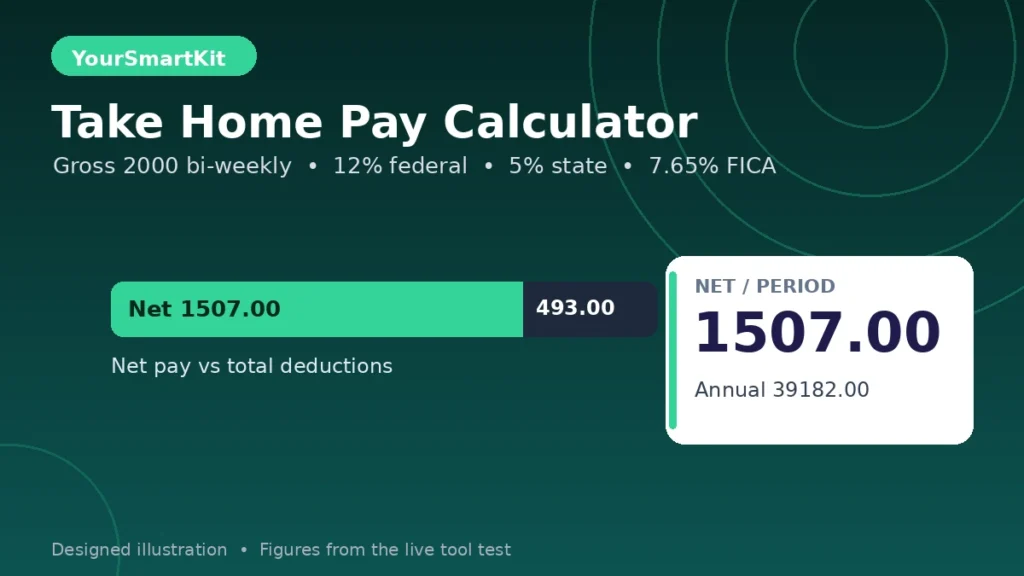
A worked example from the live tool
A bi-weekly gross pay of 2000, with a federal rate of 12 percent, a state rate of 5 percent, a FICA rate of 7.65 percent and no other deductions, gave federal tax of 240.00, state tax of 100.00, FICA of 153.00, and net pay of 1507.00 per period. Over 26 periods, that is an annual net pay of 39182.00 and a monthly net pay of 3265.17, with an effective deduction rate of 24.65 percent. A monthly example shows the same logic at a different frequency: a monthly gross pay of 5000, with a federal rate of 22 percent, no state tax, FICA at 7.65 percent and other deductions of 200, gave federal tax of 1100.00, FICA of 382.50, and net pay of 3317.50 per period, which is also the monthly net pay, with an annual net pay of 39810.00 and an effective deduction rate of 33.65 percent. In both examples the monthly figure is annual net divided by 12, not net per period multiplied by 4, because a bi-weekly year has 26 periods, not 24.
What take-home pay means
Gross pay is pay before anything is taken out. Net pay, also called take-home pay, is what remains after taxes and deductions. The gap between the two is not a single tax. It is a stack of items that are taken for different reasons: income tax, payroll taxes such as Social Security and Medicare in the United States, state or local income tax where it applies, and voluntary or contractual deductions such as retirement contributions, health premiums, union dues or loan repayments through payroll. Some deductions are money you still keep in another form, such as a retirement contribution, while taxes are money that does not come back to you in the same form. A net pay figure alone hides that distinction, which is why this tool shows the breakdown. When comparing two job offers, compare the breakdowns, not only the net figures, because a lower net pay with a larger retirement contribution can leave you better placed over time than a higher net pay with no saving at all. That comparison is a matter for your own judgement and, where needed, qualified advice; this page does not recommend one offer over another.
How the maths works
Each percentage deduction is gross pay multiplied by the rate divided by 100. Net pay is gross pay minus federal tax, minus state tax, minus FICA, minus other deductions. Annual net pay is net pay per period multiplied by the number of periods in a year: 52 for weekly, 26 for bi-weekly, 24 for semi-monthly, and 12 for monthly. Monthly net pay is annual net pay divided by 12, which keeps bi-weekly and semi-monthly pay on the same monthly footing. The effective deduction rate is total deductions divided by gross pay, multiplied by 100. It is not the same as the marginal tax rate. The marginal rate is the rate on the next unit of pay, while the effective rate is the average rate across all pay. A reader who enters a marginal rate as if it were an effective rate will understate net pay, because most pay is taxed at lower rates than the top rate that applies to the last slice. For the closest estimate with this rate-based tool, use the effective rate from a real payslip: total tax of that type divided by gross pay for the same period.
Pay frequencies, and the bi-weekly trap
Weekly pay has 52 periods, bi-weekly pay has 26, semi-monthly pay has 24, and monthly pay has 12. Bi-weekly and semi-monthly are not the same, even though both are often described as twice a month. Bi-weekly pay arrives every two weeks, which gives 26 paychecks a year and two months with three paychecks. Semi-monthly pay arrives twice a month on fixed dates, which gives 24 paychecks and no three-paycheck month. Mixing the two up changes the annual figure by a full period. Another trap is annualising hourly pay: hourly rate multiplied by hours per week multiplied by 52 gives annual gross pay, and dividing that by the number of periods gives gross pay per period. For example, 25 per hour at 40 hours a week is 52000 a year, which is 2000 per bi-weekly period, the same gross pay as the first worked example, and therefore the same net pay at the same rates. Overtime, shift premiums and bonuses are not modelled here; if they change from period to period, run the tool for a typical period and for a period with overtime, and do not treat either single run as a yearly promise.
Why a rate-based tool, and what it does not do
Most top results for take-home pay build in one country’s tax brackets for one tax year. That approach gives a more complete estimate for that country in that year, and it goes out of date when brackets, allowances or caps change. It also gives a misleading answer for a reader in another place, because the brackets do not apply there. This tool deliberately avoids built-in brackets. It asks for rates, so the same page works for a reader who can read rates from a payslip in any place, and the result never depends on a tax table that may be stale. The cost of that choice is clear and should not be hidden: this tool does not apply progressive brackets, a standard deduction, personal allowances, dependent credits, pre-tax ordering, or a wage-base cap. In particular, the default FICA rate of 7.65 percent combines Social Security at 6.2 percent and Medicare at 1.45 percent, and this tool applies it to the full gross pay. Real payroll systems cap Social Security at a wage base, so at higher earnings the real FICA figure will be lower than this tool shows. If your pay is above such a cap, enter a lower effective FICA rate from your payslip instead of the default.
Reading a payslip into this tool
Take one real payslip and find gross pay for the period first. Then find each deduction type and divide it by gross pay to get its effective rate for that period. Enter those rates, not the rates printed as brackets or tables, because brackets describe the rate on a slice of pay, not the average across the whole period. Enter other deductions as an amount for the period, not as a rate, unless you convert them first. Check that the tool’s net pay matches the payslip’s net pay for that period; if it does not, one rate has been read from the wrong line, or a deduction is missing from the other-deductions amount. Once the tool reproduces a real payslip, changing one input at a time shows the effect of that change alone: a higher gross pay, a different state rate, or an extra deduction. Changing several inputs at once makes the result harder to explain, so change one, note the result, and then change the next.
Common mistakes
The most common mistake is entering an annual salary as gross pay per period, which inflates every deduction and the net figure by the number of periods. The second is confusing bi-weekly with semi-monthly, which changes the annual total by one period. The third is entering a marginal tax rate as if it were the rate on all pay, which understates net pay. The fourth is forgetting other deductions, such as a health premium or a retirement contribution, and then wondering why the estimate is higher than the real payslip. The fifth is treating the monthly net figure as four weekly paychecks, or as two bi-weekly paychecks in every month, instead of annual net divided by 12. The sixth is assuming the estimate is final: tax withholding during the year and the final tax bill at year end are different things, and a refund or a balance due at filing can move the yearly outcome away from the withholding estimate. This page estimates withholding-style deductions from rates you enter; it does not calculate a final tax bill.
Limits you should know
This tool gives a planning estimate from rates you enter. It is not tax advice, it does not approve a salary decision, and it does not replace a payslip or a payroll calculation. It does not model tax brackets, allowances, credits, dependents, student loan repayments through payroll, pension rules in any specific country, or currency conversion. It assumes the same gross pay and the same rates in every period, which is not true for hourly workers with variable hours, seasonal work, bonuses or overtime. It shows no currency symbol, because the arithmetic is the same in any currency and the reader’s own currency applies. If a decision depends on the exact figure, such as accepting a job, signing a lease or applying for credit, confirm the figure with a real payslip or a qualified professional before relying on it.
Privacy note
The calculation runs in your browser. The pay figures you type are not uploaded or stored by this tool. If a result looks wrong, use the Contact page and include the gross pay, frequency and rates you entered, without sending any personal account details, so the error can be repeated.
Related tools
Try the loan calculator for a monthly payment on a loan, the compound interest calculator for growth over time, the percentage calculator for shares and changes, and the calculators hub for the full set.
Frequently asked questions
How is take-home pay calculated?
Start with gross pay for one period, subtract each percentage deduction and any other deductions for that period, and the remainder is net pay. Annual net pay is net pay per period multiplied by the number of periods in a year.
What is the difference between gross pay and net pay?
Gross pay is pay before deductions. Net pay is what remains after taxes and deductions, and it is the figure that reaches a bank account.
Is bi-weekly pay the same as semi-monthly pay?
No. Bi-weekly pay has 26 periods a year, while semi-monthly pay has 24 periods. The annual totals differ by one period, so choosing the wrong frequency changes the annual net figure.
Why does this tool ask for tax rates instead of looking them up?
Rates read from a real payslip travel across places and stay valid when tax tables change, while built-in brackets belong to one country and one tax year. Enter the effective rate from a payslip for the closest estimate.
What is the effective deduction rate?
Total deductions for a period divided by gross pay for that period, multiplied by 100. It is an average rate across all pay, not the marginal rate on the next unit of pay.
Can I use this tool to work out my final tax bill?
No. This tool estimates pay-period deductions from rates you enter. A final tax bill depends on yearly income, allowances, credits and filing rules, and it can differ from the withholding estimate.