
Steps to Calories Calculator
Steps to Calories Calculator
Steps to Calories Calculator
A steps to calories calculator turns a step count into distance, time, and calories burned. It starts from four inputs the reader can check: how many steps were taken, body weight in kilograms, a walking pace chosen from Slow, Moderate, or Brisk, and step length in centimetres. From those inputs it returns distance in kilometres, walking time in hours, total calories, active calories, and calories per 1000 steps, so the reader can see both the headline total and the walking-only part of it.
How do I use the steps to calories calculator?
Enter the step count first, because it drives distance directly. Then enter weight in kilograms, because a heavier walker burns more energy for the same walk. Choose a walking pace next: Slow, Moderate, or Brisk. Finally, enter step length in centimetres, with 75 cm as the starting value in the tool. Step length is the distance covered by one step, from one footfall to the next on the same foot, and it is how the tool converts steps into kilometres.
Select Calculate Calories to see all five results. Distance is steps multiplied by step length, divided by 100000 to give kilometres, because there are 100000 centimetres in a kilometre. Time is distance divided by the speed for the chosen pace. Total calories and active calories come from the pace, weight, and time, as explained in the section on how the calculation works. Calories per 1000 steps is total calories divided by steps and multiplied by 1000, and it is zero when steps are zero, rather than an error, because dividing by zero would have no meaning.
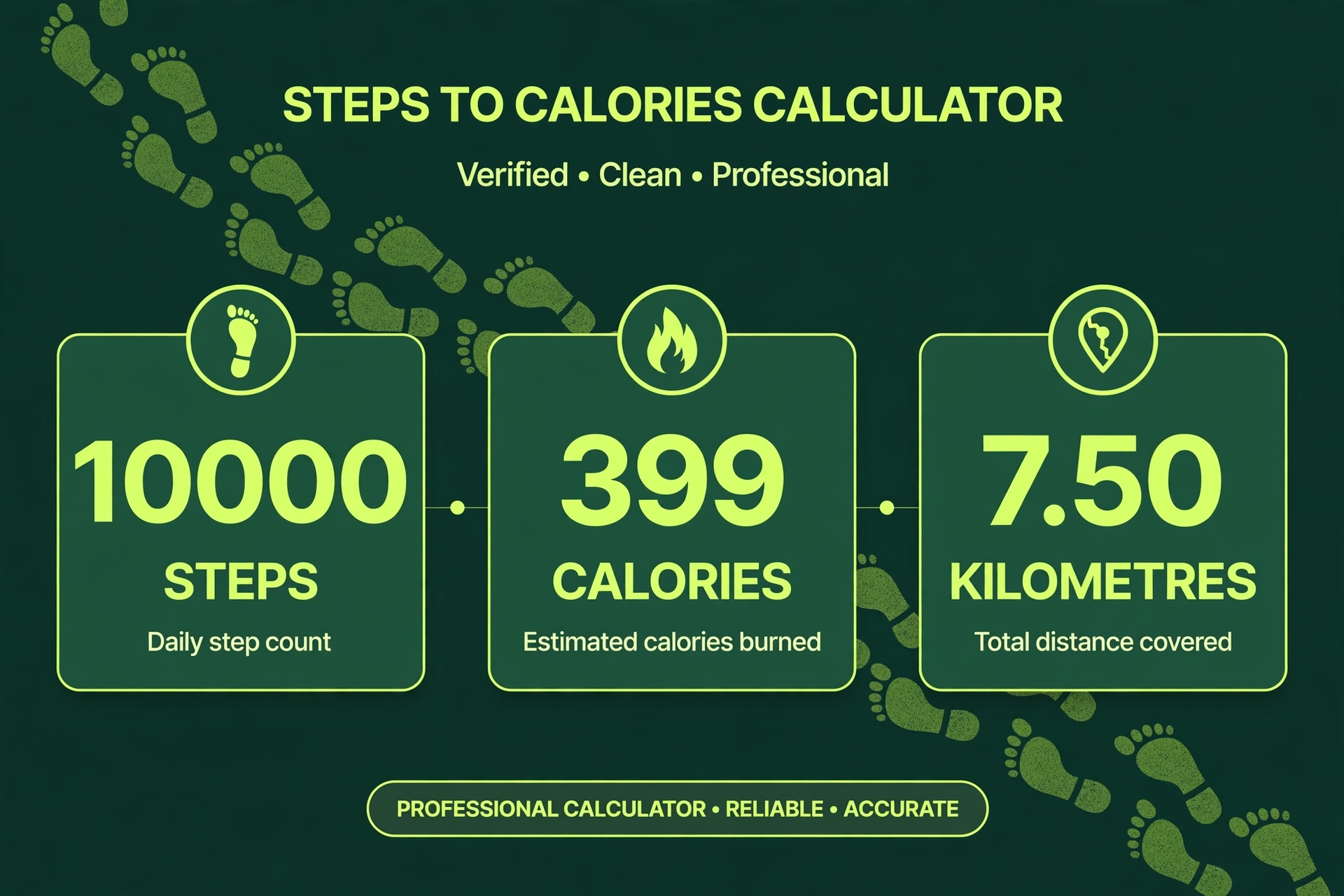
What does a worked example from the live tool show?
The first live test used 10000 steps, a weight of 70 kg, a pace of Moderate, and a step length of 75 cm. The distance was 7.50 km, from 10000 multiplied by 75 and divided by 100000. The time was 1.50 hours, from 7.50 divided by the Moderate speed of 5.0 km/h. Total calories were 399.0, from a MET value of 3.8 multiplied by 70 kg and by 1.50 hours. Active calories were 294.0, from total calories minus resting calories, where resting calories are 1 multiplied by 70 kg and by 1.50 hours, which is 105.0. Calories per 1000 steps were 39.9, from 399.0 divided by 10000 and multiplied by 1000. Those five figures are the test values for this page, and they can be checked by entering the same four inputs into the tool above.
A second live test used 5000 steps, a weight of 80 kg, a pace of Slow, and a step length of 70 cm. The distance was 3.50 km, the time was 1.00 hour, total calories were 224.0, active calories were 144.0, and calories per 1000 steps were 44.8. A third live test used 15000 steps, a weight of 60 kg, a pace of Brisk, and a step length of 80 cm. The distance was 12.00 km, the time was 2.00 hours, total calories were 576.0, active calories were 456.0, and calories per 1000 steps were 38.4. The third test shows a useful point: more steps do not always mean more calories per 1000 steps, because pace, weight, and step length all move the result.
How does the calculation work?
The calculation has four steps, and each one can be checked by hand. First, distance in kilometres equals steps multiplied by step length in centimetres, divided by 100000. Second, time in hours equals distance divided by the speed for the chosen pace. Third, total calories equal the MET value for the pace, multiplied by weight in kilograms, multiplied by time in hours. Fourth, active calories equal total calories minus resting calories, where resting calories equal 1 multiplied by weight and by time, because 1 MET is the resting level in this model.
The pace table used by the tool is fixed, so the reader does not need to guess a speed or a MET value. Slow uses a MET value of 2.8 and a speed of 3.5 km/h. Moderate uses a MET value of 3.8 and a speed of 5.0 km/h. Brisk uses a MET value of 4.8 and a speed of 6.0 km/h. A MET value, short for metabolic equivalent of task, is a way of expressing how much energy an activity uses compared with resting. Resting is 1 MET, so Moderate walking at 3.8 MET uses about 3.8 times as much energy per hour as resting, for the same body weight.
| Pace | MET value | Speed (km/h) |
|---|---|---|
| Slow | 2.8 | 3.5 |
| Moderate | 3.8 | 5.0 |
| Brisk | 4.8 | 6.0 |
Calories per 1000 steps is a useful comparison figure, because it removes the effect of taking more steps and leaves pace, weight, and step length. In the first test it was 39.9, in the second test 44.8, and in the third test 38.4. The second test has the highest calories per 1000 steps despite the fewest steps, because its weight is highest and its pace is Slow, which gives a longer time for the same distance. That is why a step count alone cannot answer how many calories were burned: the same 10000 steps can give different totals for different walkers and different paces.
How does weight change the result?
Weight changes calories in direct proportion, when steps, pace, and step length stay the same. Doubling weight doubles total calories, because the formula multiplies weight by MET and by time, and time does not depend on weight in this model. The table below holds steps at 10000, pace at Moderate, and step length at 75 cm, and changes only weight. All figures are for the same walk, so only weight moves.
| Weight (kg) | Distance (km) | Time (hours) | Total calories | Active calories |
|---|---|---|---|---|
| 55 | 7.50 | 1.50 | 313.5 | 231.0 |
| 70 | 7.50 | 1.50 | 399.0 | 294.0 |
| 85 | 7.50 | 1.50 | 484.5 | 357.0 |
Distance and time do not change with weight in this table, because they depend only on steps, step length, and pace. Total calories rise from 313.5 at 55 kg to 484.5 at 85 kg, a difference of 171.0 for the same walk. Active calories rise in the same proportion, from 231.0 to 357.0. For a broader check of daily energy, see the BMR Calculator.
How does step length change the result?
Step length changes distance, time, and calories together, when steps, weight, and pace stay the same. A longer step covers more distance for the same step count, takes longer at the same pace, and therefore burns more calories, because calories depend on time. A shorter step does the opposite. The tool’s starting value of 75 cm is a common walking step length, but taller walkers often have longer steps, and shorter walkers often have shorter steps, so the reader should adjust it if the default does not match their own stride.
One live variant shows this clearly. With 10000 steps, a weight of 70 kg, a pace of Moderate, and a step length of 65 cm instead of 75 cm, distance falls to 6.50 km, time falls to 1.30 hours, total calories fall to 345.8, and active calories fall to 254.8. The step count is the same, the weight is the same, and the pace is the same, yet the total falls by 53.2 calories, purely because each step covers less ground. A reader who leaves step length at the default when their own steps are much shorter or longer will get a distance and a calorie total that do not match their walk.
What are the limits of this calculator?
This calculator models steady walking at one of three fixed paces, on level ground, with a constant step length. It does not model hills, stairs, running, carrying a load, or changes in pace during a walk, and it does not model differences in walking efficiency between people. It also treats resting calories as exactly 1 MET for the walking time, which is a simplification: resting energy use varies with age, sex, and body composition, and the tool does not ask for those inputs. The results are therefore estimates for comparison, not measurements, and a wearable device that measures heart rate or movement may give a different figure for the same walk.
Step counts themselves also need care. A phone or watch may count steps differently depending on where it is worn, and it may miss steps or count arm movements as steps. If the step count entered is wrong, distance and calories will be wrong in the same proportion, because the tool multiplies the step count directly. The reader should check the step count against the device’s own total for the same period, and should not treat a single day’s figure as a precise energy balance without also considering food intake and other activity.
What questions do people ask about steps and calories?
For body composition context, see the FFMI Calculator and the BMI Calculator. More tools of this kind are listed in the Calculators hub.
How many calories does 10000 steps burn?
At 70 kg with a moderate pace and a step length of 75 cm, 10000 steps burn 399.0 calories in total, of which 294.0 are active calories. The distance is 7.50 km and the time is 1.50 hours.
What is the difference between total calories and active calories?
Total calories include resting energy for the walking time, while active calories are total calories minus resting calories. Resting calories are 1 multiplied by weight and by time. In the first test, resting calories are 105.0, total calories are 399.0, and active calories are 294.0.
Does a heavier person burn more calories for the same steps?
Yes, in this tool calories rise in direct proportion to weight, when steps, pace, and step length stay the same. For 10000 steps at a moderate pace with a step length of 75 cm, total calories are 313.5 at 55 kg, 399.0 at 70 kg, and 484.5 at 85 kg.
Why does step length matter if the step count is the same?
Step length sets distance, and distance sets time at a fixed pace, and time sets calories. With 10000 steps at 70 kg and a moderate pace, a step length of 75 cm gives 7.50 km, 1.50 hours, and 399.0 total calories, while a step length of 65 cm gives 6.50 km, 1.30 hours, and 345.8 total calories.
What pace should I choose if my walk mixed speeds?
Choose the pace closest to most of the walk, because the tool uses one fixed MET value and speed for the whole walk. If the walk was mostly moderate with short faster parts, Moderate is the closest single choice, but the result will be an estimate, not a measurement of a mixed-pace walk.
What happens if I enter zero steps?
Zero steps give a distance of 0.00 km, a time of 0.00 hours, and 0.0 calories for total, active, and per 1000 steps. Zero is allowed for steps, because a day with no steps is a valid input, while a weight of zero or less and a step length of zero or less show an error instead.