
Online Hourly Calculator
Online Hourly Calculator
Turn an hourly rate into weekly, monthly and annual gross pay.
An online hourly calculator turns an hourly rate and the hours worked into pay: weekly, monthly, and annual gross pay, with overtime paid at the multiplier you enter. At $20 an hour for a 40-hour week with no overtime, the weekly gross pay is $800, the monthly gross pay is $3,466.67, and the annual gross pay is $41,600.
How do I use the Online Hourly Calculator?
Enter the hourly rate, the regular hours worked per week, the overtime hours worked per week, and the overtime multiplier, then press Calculate hourly pay. The tool shows six results: regular pay per week, overtime pay per week, total pay per week, pay per month, pay per year, and the effective hourly rate. Regular pay is the hourly rate multiplied by the regular hours. Overtime pay is the hourly rate multiplied by the overtime multiplier multiplied by the overtime hours. The effective hourly rate is the total weekly pay divided by the total hours worked, including overtime.
The overtime multiplier is the rate at which overtime is paid relative to the regular rate, and it starts at 1.5, which is time and a half: one and a half times the regular rate. A multiplier of 2.0 is double time, and a multiplier of 1.0 means overtime is paid at the regular rate, which makes the overtime pay the same as regular pay for the same hours. The multiplier must be zero or more, and it applies to the overtime hours only. Regular hours are always paid at the hourly rate.
All six results are gross pay, before tax and before any deduction. The tool does not subtract tax, pension, health insurance, or any other deduction, and it does not add holiday pay or bonuses. Enter the hours for one week only: the monthly and annual figures are built from the weekly figure, and a week with unusual hours gives an unusual month and year. The worked example below shows the tool with the verified test figures, so each result can be checked against the tool.
A worked example from the live tool
Test 1 uses an hourly rate of $20, 40 regular hours, no overtime, and a multiplier of 1.5. The tool gives regular pay of $800.00 a week, overtime pay of $0.00, total pay of $800.00 a week, pay per month of $3,466.67, pay per year of $41,600.00, and an effective hourly rate of $20.00. The steps are: regular pay is 20 × 40, which is $800.00; total pay is $800.00 plus $0.00, which is $800.00; monthly pay is 800 × 52 ÷ 12, which is $3,466.67; annual pay is 800 × 52, which is $41,600.00; and the effective rate is 800 ÷ 40, which is $20.00.
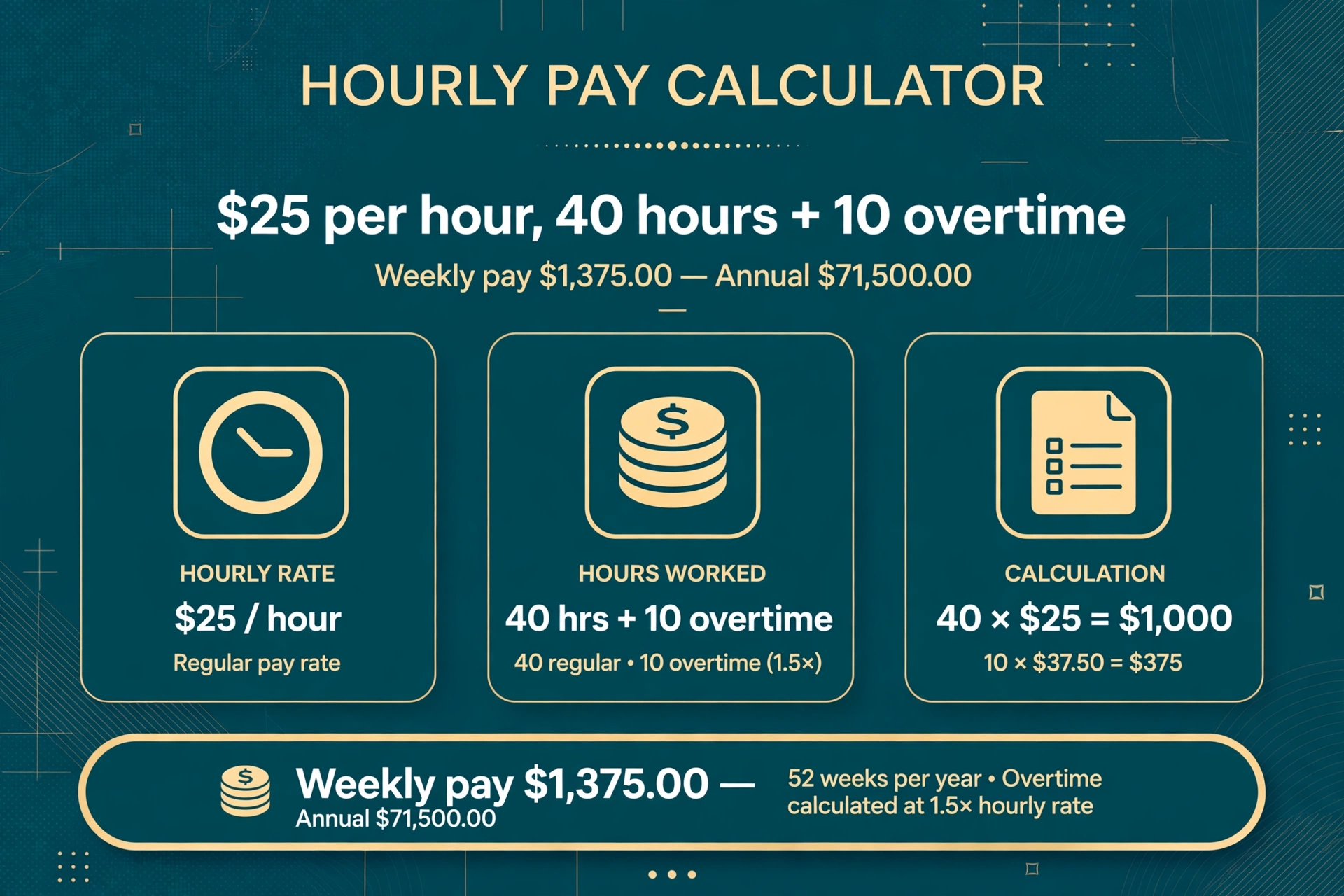
Test 2 uses an hourly rate of $25, 40 regular hours, 10 overtime hours, and a multiplier of 1.5, the figures in the illustration above. The tool gives regular pay of $1,000.00 a week, overtime pay of $375.00 a week, total pay of $1,375.00 a week, pay per month of $5,958.33, pay per year of $71,500.00, and an effective hourly rate of $27.50. The steps are: regular pay is 25 × 40, which is $1,000.00; overtime pay is 25 × 1.5 × 10, which is $375.00; total pay is $1,000.00 plus $375.00, which is $1,375.00; monthly pay is 1,375 × 52 ÷ 12, which is $5,958.33; annual pay is 1,375 × 52, which is $71,500.00; and the effective rate is 1,375 ÷ 50, which is $27.50.
Test 3 uses an hourly rate of $30, 35 regular hours, 5 overtime hours, and a multiplier of 2.0, to show double time. The tool gives regular pay of $1,050.00 a week, overtime pay of $300.00 a week, total pay of $1,350.00 a week, pay per month of $5,850.00, pay per year of $70,200.00, and an effective hourly rate of $33.75. The steps are: regular pay is 30 × 35, which is $1,050.00; overtime pay is 30 × 2.0 × 5, which is $300.00; total pay is $1,050.00 plus $300.00, which is $1,350.00; monthly pay is 1,350 × 52 ÷ 12, which is $5,850.00; annual pay is 1,350 × 52, which is $70,200.00; and the effective rate is 1,350 ÷ 40, which is $33.75.
The error cases are plain-language messages with the results hidden until the inputs are valid. A missing field gives ‘Enter hourly rate, regular hours, overtime hours and overtime multiplier.’ A negative value gives ‘Values cannot be negative.’ Total hours above 168 per week give ‘Total hours per week cannot be more than 168.’ The limit of 168 is the number of hours in a week, and it is the only upper limit the tool applies.
How do I convert an hourly rate to a salary?
Multiply the hourly rate by the hours worked per week and then by 52, the number of weeks in a year. That gives the annual gross salary for a full-time schedule. At $20 an hour for 40 hours a week, the annual salary is 20 × 40 × 52, which is $41,600. At $25 an hour for the same schedule, it is 25 × 40 × 52, which is $52,000. The same calculation works for any rate and any regular weekly hours, as long as the schedule is the same every week.
For a part-time schedule, use the actual hours per week instead of 40. At $20 an hour for 20 hours a week, the annual salary is 20 × 20 × 52, which is $20,800. At $15 an hour for 25 hours a week, it is 15 × 25 × 52, which is $19,500. The formula does not change: rate × hours per week × 52. The tool’s annual figure is built from the weekly total, so it includes overtime in the same way, which is why the annual figure for a week with overtime is higher than the regular-hours salary.
To get the monthly salary, multiply the weekly pay by 52 and divide by 12. The 52 ÷ 12 step is the part people most often get wrong: a month is not four weeks, it is 52 ÷ 12, or about 4.333 weeks. At $800 a week, the monthly pay is 800 × 52 ÷ 12, which is $3,466.67, not $3,200, which is what multiplying by 4 gives. The difference is $266.67 a month, which is too large to ignore. The tool uses 52 ÷ 12, and the quick-reference table below shows the monthly figure for eight common rates.
To work out what the hourly rate is from a salary, divide the other way. An annual salary of $52,000 for a 40-hour week is 52,000 ÷ 52 ÷ 40, which is $25 an hour. A monthly salary of $4,333.33 is 4,333.33 × 12 ÷ 52 ÷ 40, which is also $25 an hour. The division by 52 and by 40 is the reverse of the multiplication, and it gives the same rate. A salary quoted as a monthly figure should be converted to an annual figure first, by multiplying by 12, before dividing by 52 and by the weekly hours.
The 2,080-hour figure is a useful shortcut for a full-time schedule: 40 hours a week × 52 weeks is 2,080 hours a year, so the annual salary is the hourly rate × 2,080. At $25 an hour, that is 25 × 2,080, which is $52,000. At $15 an hour, it is 15 × 2,080, which is $31,200. For a part-time schedule, use the actual hours per week × 52 instead of 2,080. The shortcut is the same calculation with the multiplication done first, and it gives the same answer as the tool.
For percentage changes to a rate or a pay figure, such as working out a pay rise, use the percentage calculator.
How does overtime pay work?
Overtime pay is the hourly rate multiplied by the overtime multiplier multiplied by the overtime hours. The multiplier is the rate at which overtime is paid relative to the regular rate. Time and a half is a multiplier of 1.5, which means each overtime hour is paid at one and a half times the regular rate. Double time is a multiplier of 2.0. At $25 an hour with 10 overtime hours at 1.5 times, the overtime pay is 25 × 1.5 × 10, which is $375.00. At the same rate with a multiplier of 2.0, it would be 25 × 2.0 × 10, which is $500.00.
The total weekly pay is the regular pay plus the overtime pay. Regular pay is the hourly rate × the regular hours, and overtime pay is the hourly rate × the multiplier × the overtime hours. At $25 an hour for 40 regular hours and 10 overtime hours at 1.5 times, the regular pay is $1,000.00, the overtime pay is $375.00, and the total is $1,375.00. The effective hourly rate is the total divided by all the hours worked, including overtime: 1,375 ÷ 50, which is $27.50. The effective rate is higher than the regular rate because the overtime hours are paid at a premium, and it is lower than the overtime rate of $37.50, because the regular hours dilute it.
The tool does not decide which hours are overtime. It takes the regular hours and the overtime hours as separate inputs, and it is the reader who splits them. In many workplaces, hours above 40 a week are overtime, but the threshold and the multiplier depend on the contract, the industry, and the law where the work is done. A week with 50 hours might be 40 regular and 10 overtime in one workplace, and 50 regular in another. Enter the split that applies, and the tool calculates the pay for that split.
A multiplier of 1.0 means overtime is paid at the regular rate, which makes the overtime pay the same as regular pay for the same hours. That is the case where there is no overtime premium, and the effective rate is the same as the regular rate. A multiplier below 1.0 would pay overtime at less than the regular rate, which the tool allows but which is unusual. A multiplier of zero pays nothing for overtime hours, which the tool also allows. The multiplier must be zero or more, and a negative multiplier gives the error ‘Values cannot be negative.’
How do I add up work hours from a timesheet?
A timesheet usually gives start and finish times, and the hours worked are the difference between them, minus any unpaid break. A shift from 9:00 to 17:30 with a 30-minute unpaid break is 8 hours, not 8.5, because the break is not paid. A shift from 8:00 to 16:00 with a 1-hour break is 7 hours. Add the hours for each day to get the weekly total, then split that total into regular and overtime hours before entering it in the tool. The tool takes hours as a decimal number, so 7 hours 30 minutes is entered as 7.5, and 8 hours 15 minutes is entered as 8.25.
Minutes convert to a decimal by dividing by 60. Fifteen minutes is 15 ÷ 60, which is 0.25 hours. Thirty minutes is 0.5 hours. Forty-five minutes is 0.75 hours. A shift of 7 hours 45 minutes is 7.75 hours, and a shift of 6 hours 20 minutes is 6.33 hours. Entering the minutes as a decimal, rather than as a separate number, is the only way the tool accepts them, and the conversion is the step most often done wrong: 7 hours 30 minutes is 7.5, not 7.3, and 8 hours 45 minutes is 8.75, not 8.45.
For more help adding times together, use the minutes calculator to add time intervals, and the time distance speed calculator if you also need the distance covered. The minutes calculator takes two times and returns the difference, which is the shift length, and the tool above takes the weekly total in decimal hours.
What does the quick-reference table show?
The table below gives the weekly, monthly, and annual gross pay for a 40-hour week with no overtime, at eight hourly rates from $10 to $50. It is the same calculation as the tool, run for each rate, and it can be used to read off the pay for a rate without opening the tool. The weekly figure is the rate × 40, the monthly figure is the weekly figure × 52 ÷ 12, and the annual figure is the weekly figure × 52. The monthly figure is not four times the weekly figure, because a month is 52 ÷ 12 weeks, not 4.
| Hourly rate | Weekly pay (40 hours) | Monthly pay | Annual pay |
|---|---|---|---|
| $10 | $400.00 | $1,733.33 | $20,800.00 |
| $12.50 | $500.00 | $2,166.67 | $26,000.00 |
| $15 | $600.00 | $2,600.00 | $31,200.00 |
| $20 | $800.00 | $3,466.67 | $41,600.00 |
| $25 | $1,000.00 | $4,333.33 | $52,000.00 |
| $30 | $1,200.00 | $5,200.00 | $62,400.00 |
| $40 | $1,600.00 | $6,933.33 | $83,200.00 |
| $50 | $2,000.00 | $8,666.67 | $104,000.00 |
For a different number of hours, scale the weekly figure by the hours divided by 40. At $20 an hour for 30 hours a week, the weekly pay is 800 × 30 ÷ 40, which is $600.00, the monthly pay is 600 × 52 ÷ 12, which is $2,600.00, and the annual pay is 600 × 52, which is $31,200.00. For a week with overtime, add the overtime pay to the weekly figure first, then build the monthly and annual figures from the total, which is what the tool does in the worked example above.
What mistakes do people commonly make with hourly pay?
The first mistake is multiplying the weekly pay by 4 to get the monthly pay. A month is not four weeks, it is 52 ÷ 12, or about 4.333 weeks. At $800 a week, multiplying by 4 gives $3,200, but the correct monthly pay is $3,466.67. The error is $266.67 a month, or $3,200 a year, which is a month’s pay. The tool uses 52 ÷ 12, and the quick-reference table above shows the correct monthly figures. Always divide the annual figure by 12, or multiply the weekly figure by 52 and divide by 12, and never multiply by 4.
The second mistake is entering the total hours as regular hours when some of them are overtime. A week of 50 hours at $25 an hour is not $1,250.00, it is $1,000.00 of regular pay plus $375.00 of overtime pay at 1.5 times, which is $1,375.00. Entering all 50 hours as regular gives $1,250.00, which understates the pay by $125.00 a week, or $6,500.00 a year. Split the hours into regular and overtime before entering them, and check the overtime multiplier is the one the contract gives.
The third mistake is forgetting that the tool gives gross pay. The weekly, monthly, and annual figures are before tax and before any deduction, and the take-home pay is lower. A weekly gross of $1,375.00 does not mean $1,375.00 in the bank. Tax, pension, and health insurance all come off, and the net figure depends on the tax rate and the deductions. The tool does not calculate tax, and the article does not give tax advice.
The fourth mistake is using an unusual week as if it were typical. A week with 10 overtime hours gives a monthly figure of $5,958.33 and an annual figure of $71,500.00, but those figures assume the same 10 overtime hours every week of the year. If overtime is occasional, the annual figure overstates the year’s pay. Enter the hours for a typical week, not for the busiest week, and treat a week with unusual hours as a one-off. To work out what remains after tax and deductions, enter the gross figure into the take home pay calculator.
The fifth mistake is entering minutes as a decimal without converting. Seven hours 30 minutes is 7.5, not 7.3, and 8 hours 45 minutes is 8.75, not 8.45. Entering 7.3 for 7 hours 30 minutes understates the hours by 0.2, which at $25 an hour is $5.00 a week, or $260.00 a year. Divide the minutes by 60 to get the decimal, and check the conversion before entering it. The section on adding up work hours from a timesheet above gives the conversions for 15, 30, and 45 minutes.
What are the limits of this calculator?
This calculator works from the four numbers entered and nothing else. It takes the hourly rate, the regular hours, the overtime hours, and the overtime multiplier, and returns the six pay figures. It does not know whether the hours are for a typical week or an unusual one, whether the multiplier is the one the contract gives, or whether the rate is the regular rate or a blended rate. A result computed from the wrong inputs is a wrong result, and the tool has no way to spot it.
The calculator assumes the same hours every week of the year. It multiplies the weekly pay by 52 to get the annual pay, which is 52 weeks, not 52 weeks minus holidays or unpaid leave. A worker who takes 4 weeks of unpaid leave a year earns 48 weeks of pay, not 52, and the tool’s annual figure overstates the year’s pay by about 8%. The monthly figure is the annual figure divided by 12, which is the same 52-week assumption. The tool also assumes the rate and the multiplier stay the same all year, which is not true if the rate changes or if overtime is seasonal.
The calculator does not handle tax, deductions, holiday pay, bonuses, or shift allowances. It gives gross pay only. A worker whose pay includes a night-shift allowance or a bonus needs to add those separately, and a worker who wants the take-home pay needs to subtract tax and deductions separately. The tool also does not handle a salary quoted as an annual figure: it takes an hourly rate, and a salary must be converted to an hourly rate first, by dividing by 52 and by the weekly hours, as the section on converting an hourly rate to a salary above explains.
What information does this tool store?
This tool works from the numbers typed into it on the page. It does not ask for a name, an email address, or any account detail, and it does not send the figures anywhere. The figures stay in the browser and are never stored or shared. A reader who wants to keep a result can note it down separately. The results are shown on the page in the labelled boxes above, and the worked examples in this article use only the verified test figures listed at the end, so a reader can check the tool against a known answer before trusting it with real pay figures.
For more tools in the same collection, browse the calculators category.
Frequently asked questions
FAQ 1 — How do I calculate my hourly pay for a week?
Multiply your hourly rate by the hours you worked. At $20 an hour for 40 hours, the weekly gross pay is 20 multiplied by 40, which is $800.00. If some hours were overtime, multiply those hours by your rate and your overtime multiplier, and add the result to the regular pay.
FAQ 2 — How much do I make a year at my hourly rate?
Multiply your hourly rate by 2,080 for a full-time 40-hour week over 52 weeks. At $25 an hour, that is 25 multiplied by 2,080, which is $52,000 a year before tax. For a part-time schedule, multiply the rate by the hours per week and then by 52 instead.
FAQ 3 — How is overtime pay calculated?
Multiply the overtime hours by your hourly rate and by the overtime multiplier. At $25 an hour with 10 overtime hours at 1.5 times, the overtime pay is 10 multiplied by 25 multiplied by 1.5, which is $375.00. The total weekly pay is the regular pay plus the overtime pay, which is $1,000.00 plus $375.00, or $1,375.00.
FAQ 4 — How do I convert my hourly rate to a monthly salary?
Multiply your weekly pay by 52 and divide by 12. At $800 a week, the monthly pay is 800 multiplied by 52 divided by 12, which is $3,466.67. Do not multiply weekly pay by 4, because a month averages 4.333 weeks, not 4.
FAQ 5 — What is my effective hourly rate?
Your effective hourly rate is your total weekly pay divided by all the hours you worked, including overtime. At $25 an hour for 40 regular hours and 10 overtime hours at 1.5 times, the weekly pay is $1,375.00 and the total hours are 50, so the effective rate is 1,375 divided by 50, which is $27.50 an hour.
FAQ 6 — Does this calculator include tax?
No. Every figure on this page is gross pay, before tax and before any deduction. To work out what remains after tax and deductions, enter the gross figure into the take home pay calculator. This page does not give tax or employment advice.
How do I calculate my hourly pay for a week?
Multiply your hourly rate by the hours you worked. At $20 an hour for 40 hours, the weekly gross pay is 20 multiplied by 40, which is $800.00. If some hours were overtime, multiply those hours by your rate and your overtime multiplier, and add the result to the regular pay.
How much do I make a year at my hourly rate?
Multiply your hourly rate by 2,080 for a full-time 40-hour week over 52 weeks. At $25 an hour, that is 25 multiplied by 2,080, which is $52,000 a year before tax. For a part-time schedule, multiply the rate by the hours per week and then by 52 instead.
How is overtime pay calculated?
Multiply the overtime hours by your hourly rate and by the overtime multiplier. At $25 an hour with 10 overtime hours at 1.5 times, the overtime pay is 10 multiplied by 25 multiplied by 1.5, which is $375.00. The total weekly pay is the regular pay plus the overtime pay, which is $1,000.00 plus $375.00, or $1,375.00.
How do I convert my hourly rate to a monthly salary?
Multiply your weekly pay by 52 and divide by 12. At $800 a week, the monthly pay is 800 multiplied by 52 divided by 12, which is $3,466.67. Do not multiply weekly pay by 4, because a month averages 4.333 weeks, not 4.
What is my effective hourly rate?
Your effective hourly rate is your total weekly pay divided by all the hours you worked, including overtime. At $25 an hour for 40 regular hours and 10 overtime hours at 1.5 times, the weekly pay is $1,375.00 and the total hours are 50, so the effective rate is 1,375 divided by 50, which is $27.50 an hour.
Does this calculator include tax?
No. Every figure on this page is gross pay, before tax and before any deduction. To work out what remains after tax and deductions, enter the gross figure into the take home pay calculator. This page does not give tax or employment advice.