
URL Encoder
Encode
Paste any text or value below, then press Encode. The result is the percent-encoded form, safe to put in a URL.
Decode
Paste percent-encoded text below, then press Decode. The result is the original text.
This tool runs entirely in your browser. Nothing you paste leaves your device.
URL encoding, also called percent-encoding, replaces characters that cannot appear as-is in a URL with a percent sign followed by two hexadecimal digits for each of the character’s UTF-8 bytes. This tool encodes with encodeURIComponent, so a space becomes %20, and decodes back to the original text, entirely in your browser.
How do I use the URL Encoder?
Choose the direction first. To encode, paste the text or value into the top box, which is labelled Text to encode, and press Encode. The result appears in the Encoded result box. To decode, paste percent-encoded text into the box labelled Text to decode and press Decode. Each side is independent, so the decode result does not change the encode side, and the encode result does not change the decode side.
Use the Copy result button next to each output. It copies the output to the clipboard and shows Copied. next to the button. Copying matters here, because the difference between the input and the output is often a single character, and retyping it by hand is where mistakes happen. The count line under each output shows the input length and the output length, so the change is visible at a glance.
The tool works on any text: a full URL, a single query value, a path segment, a fragment, or a plain phrase. It encodes one value at a time, using encodeURIComponent, which is the right function for a single value. A whole URL pasted into the encode box will be encoded as a single value, so its colon, slashes, question mark, and ampersands will be encoded too. That is the intended behaviour for a value, and it is also the most common mistake, which the section on when to encode explains.
What is a worked example from the verified tests?
Start with the simplest case, the first verified test. Paste https://example.com/search?q=hello world&lang=en into the Text to encode box and press Encode. The result is https%3A%2F%2Fexample.com%2Fsearch%3Fq%3Dhello%20world%26lang%3Den, which is 66 characters long against 48 characters in. The colon becomes %3A, each slash becomes %2F, the question mark becomes %3F, the equals sign becomes %3D, the space becomes %20, and the ampersand becomes %26. The host name example.com and the path search stay as they are, because letters, digits, hyphens, dots, and underscores are never encoded.
The second verified test shows non-ASCII text. Paste café & crème into the Text to encode box and press Encode. The result is caf%C3%A9%20%26%20cr%C3%A8me, which is 28 characters long against 12 characters in. The é becomes %C3%A9, which is two groups because é is two bytes in UTF-8, and the è becomes %C3%A8, also two bytes. The space becomes %20 and the ampersand becomes %26. Decoding that result gives back café & crème exactly, including both accents, which is the round-trip check the tests confirm.
The third verified test runs in the other direction. Paste %E2%9C%93%20done into the Text to decode box and press Decode. The result is ✓ done. The three groups %E2%9C%93 are the three bytes of the check mark ✓ in UTF-8, and %20 is the space. That test is a useful one to try by hand, because a single wrong hex digit turns the check mark into a replacement character or an error, and the tool catches that.
The fourth verified test is a short string that shows the plus sign and the equals sign. Paste a+b=c into the Text to encode box and press Encode. The result is a%2Bb%3Dc. The plus becomes %2B and the equals becomes %3D, and the letters a, b, and c stay as they are. That result matters because a+b=c is exactly the shape of a query value, and a reader that does not decode the plus will treat it as a space, which is the wrong value.
What is URL encoding (percent-encoding)?
URL encoding replaces a character that cannot appear as-is in a URL with a percent sign followed by two hexadecimal digits, which are the value of one byte of that character in UTF-8. A space becomes %20, an ampersand becomes %26, and é becomes %C3%A9, because é is two bytes in UTF-8. Percent-encoding is defined in RFC 3986, the standard for URIs, and it is the mechanism that lets text travel inside a URL without breaking the URL’s structure.
The need for it comes from the shape of a URL. A URL is made of parts — a scheme, a host, a path, a query, and a fragment — and several characters act as separators between those parts. A question mark starts the query, an ampersand separates one query pair from the next, and an equals sign separates a key from its value. If a value itself contains one of those characters, the reader cannot tell where the value ends and the structure begins. Encoding the value first turns those characters into %XX groups, which the reader treats as ordinary data, and decoding them after the URL is split restores the original value.
Encoding is reversible by design. Every character has exactly one encoded form, and decoding that form gives back the original character. The only exception is the plus sign, which form encoding writes for a space, and which decodeURIComponent does not turn back into a space. That asymmetry is why this tool always produces %20 for a space, and why it leaves a plus sign unchanged when decoding. The tool does not invent codes: every code it produces is the character’s UTF-8 bytes written in hexadecimal, upper case, with a percent sign in front.
Which characters are reserved and which are unreserved?
RFC 3986 divides the characters that may appear in a URI into two groups. The unreserved characters are the 66 characters that are never encoded: the capital letters A to Z, the lower-case letters a to z, the digits 0 to 9, and the four marks hyphen -, dot ., underscore _, and tilde ~. Those characters are safe everywhere in a URL, and encodeURIComponent leaves every one of them unchanged. The quick-reference table near the end of this article lists each one.
The reserved characters are the 18 characters that carry meaning in a URL’s structure: colon :, slash /, question mark ?, hash #, left square bracket [, right square bracket ], at sign @, exclamation mark !, dollar $, ampersand &, apostrophe ‘, left parenthesis (, right parenthesis ), asterisk *, plus +, comma ,, semicolon ;, and equals =. A reserved character is only left as-is when it is doing its structural job. A question mark that starts a query stays a question mark. The same question mark inside a query value must be encoded to %3F, or the reader will treat it as the start of a new query.
Everything else must be encoded. That includes a space, a double quote, a less-than sign, a greater-than sign, a backslash, a caret, a backtick, a left brace, a vertical bar, a right brace, and every non-ASCII character, from é to ✓ to an emoji. Those characters have no defined meaning in a URL, so a browser or server that receives one raw may reject the URL, truncate it, or interpret it differently from the sender. Encoding them first removes that ambiguity.
This tool follows encodeURIComponent, which encodes every character except the unreserved 66 and the five marks ! ‘ ( ) * that the function leaves unchanged for historical reasons. Those five are the only difference between this tool and a strict RFC 3986 encoder, and the section on the quick-reference table lists the strict code for each one. In practice the difference does not matter: a server that decodes %21 and a server that receives ! raw treat them the same way, because ! is a sub-delimiter and is legal unencoded in a query value.
When should I encode a value?
Encode a value when it goes into a URL as data, not as structure. The common cases are a query value, a path segment, and a fragment. A search box that takes a user’s words and puts them in a query needs the value encoded, because the words may contain a space, an ampersand, or a question mark. A file name used as a path segment needs encoding, because a file name may contain a space or a hash. A fragment that holds a label needs encoding for the same reason. In each case the value is one piece of the URL, and encoding it keeps it from being mistaken for structure.
Do not encode a whole working URL. A whole URL already has its structure in place: the colon after the scheme, the slashes after the host, the question mark before the query, and the ampersands between the pairs. Encoding the whole thing turns those structural characters into %XX groups, and the result is no longer an address — it is a single encoded string that a browser will treat as a relative path or a search term. The first verified test shows this: encoding https://example.com/search?q=hello world&lang=en as a single value gives https%3A%2F%2Fexample.com%2Fsearch%3Fq%3Dhello%20world%26lang%3Den, which is correct as an encoded value and useless as a link. To build a URL, encode each value separately and join them with the structural characters left as-is.
The other case is a URL that is itself a value. A redirect parameter, a return address, or a webhook URL passed inside another URL must be encoded as a whole, because the inner URL’s question mark and ampersands would otherwise be read as part of the outer URL. That is the one time encoding a whole URL is right, and it is right precisely because the whole URL is a value in that context, not an address being followed.
What is the difference between encodeURI and encodeURIComponent?
JavaScript has two built-in encoding functions, and the difference is what each one leaves alone. encodeURIComponent encodes a single component of a URL — a query value, a path segment, or a fragment — so it encodes every character that could be read as structure, including colon, slash, question mark, hash, ampersand, and equals. encodeURI encodes a complete URL, so it leaves the structural characters alone and only encodes characters that are illegal in a URL, such as a space or a non-ASCII character. This tool uses encodeURIComponent, because it is a tool for values.
Take the first verified test as the example. Encoding https://example.com/search?q=hello world&lang=en with encodeURIComponent gives https%3A%2F%2Fexample.com%2Fsearch%3Fq%3Dhello%20world%26lang%3Den, with the colon, slashes, question mark, equals, and ampersand all encoded. Encoding the same string with encodeURI gives https://example.com/search?q=hello%20world&lang=en, with only the space encoded to %20 and every structural character left as-is. The second form is still a working URL. The first form is an encoded value that happens to contain a URL.
Use encodeURIComponent when the thing being encoded is a value: a query value, a path segment, or a fragment. Use encodeURI when the thing being encoded is a complete URL that should still work as an address, and only its illegal characters need fixing. Using encodeURIComponent on a whole URL is the most common encoding mistake, and using encodeURI on a single value is the second most common, because it leaves the ampersand and equals sign unencoded and the value then splits the query in the wrong place.
| Function | Leaves unencoded | Use it for |
|---|---|---|
| encodeURIComponent | A–Z a–z 0–9 – _ . ! ~ * ‘ ( ) | One value: a query value, a path segment, or a fragment |
| encodeURI | A–Z a–z 0–9 – _ . ! ~ * ‘ ( ) ; , / ? : @ & = + $ – _ . ! ~ * ‘ ( ) # | A complete URL that should still work as an address |
The table’s encodeURI row lists the structural characters it leaves alone, and the list is long because a complete URL needs all of them: the semicolon, comma, slash, question mark, colon, at sign, ampersand, equals, plus, dollar, and hash, as well as the unreserved characters and the five marks. The encodeURIComponent row is shorter because a single value needs none of those. Both functions produce the same code for the characters they do encode, and both use upper-case hex, so %20 is a space in either case.
How does URL encoding handle non-ASCII characters and UTF-8?
A URL is made of ASCII characters, so a character outside ASCII has to be converted before it can be encoded. The conversion this tool uses is UTF-8, which is the standard the web uses and the encoding encodeURIComponent applies. Each non-ASCII character becomes one or more bytes in UTF-8, and each byte becomes one %XX group. A character in the Latin-1 range, such as é or è, is two bytes, so it becomes two groups: é is %C3%A9 and è is %C3%A8. A character further from ASCII is three bytes, so it becomes three groups: the check mark ✓ is %E2%9C%93. An emoji is four bytes, so it becomes four groups.
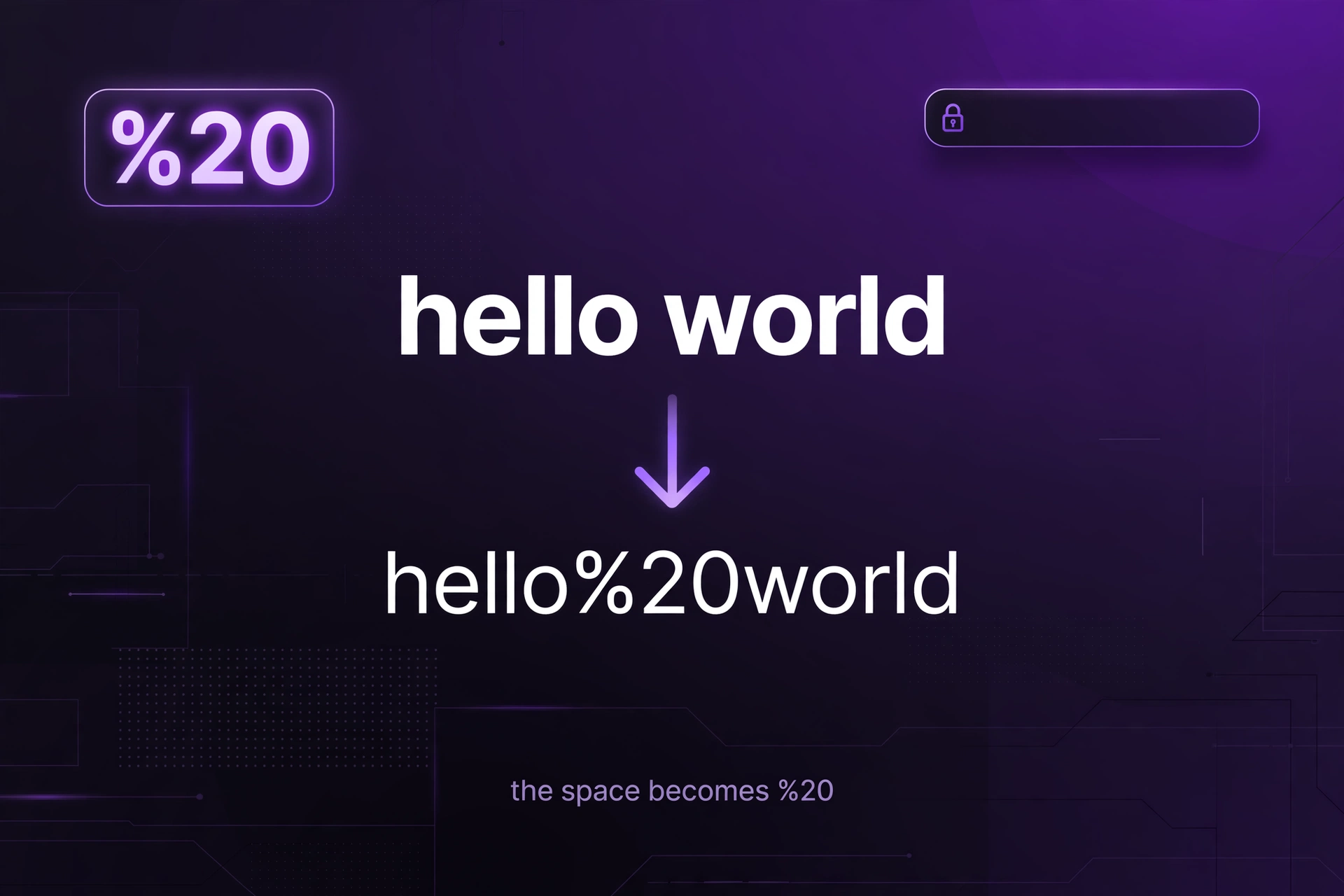
That is why the count line matters. The second verified test, café & crème, is 12 characters in and 28 characters out, because the two accented letters each add two groups and the space and ampersand each add one. A string of plain ASCII letters does not grow at all: hello world is 11 characters in and 13 characters out, because only the space changes, from one character to three. A string of emoji grows the most, because each emoji is four bytes and becomes 12 characters of %XX groups.
Decoding reverses the process, but only if the bytes are valid UTF-8. The decode side of this tool checks each %XX group and then calls decodeURIComponent, which throws an error on a sequence that is not valid UTF-8, such as a lone %C3 with no second byte, or a %FF that is not a UTF-8 byte at all. The tool catches that error and shows the plain-language message, rather than a partial or garbled result. If a decode fails, the input is either truncated, hand-typed with a wrong digit, or encoded in a different character set, such as Latin-1, where é is a single byte %E9 rather than the two-byte %C3%A9 that UTF-8 gives.
Why does a space sometimes become + and sometimes %20?
A space has two written forms in URLs, and which one appears depends on the encoding scheme in use. Percent-encoding, which is what this tool produces, writes a space as %20. Form encoding, which is the format HTML forms use when they submit data (application/x-www-form-urlencoded), writes a space as +. Both mean the same thing — a space — but they belong to different contexts, and mixing them up is a common source of wrong values.
The difference matters on the decode side. A decoder that expects form encoding will turn a + into a space, and a decoder that expects percent-encoding will leave the + alone, because + is a legal character in a URL and decodeURIComponent does not change it. That is the eleventh verified test: decoding hello+world gives back hello+world, unchanged, because this tool decodes percent-encoding and not form encoding. A value that was form-encoded and then decoded as percent-encoding will keep its plus signs, and a reader that expected spaces will read the wrong value.
Use %20 unless the reader expects form encoding. A query string built by an HTML form will use +, and a server that reads form data will turn the + back into a space. A query string built by JavaScript with encodeURIComponent will use %20, and a server that decodes percent-encoding will turn it back into a space. The two agree on every character except the space, so a value with no spaces is identical under both schemes. The safe rule is to encode with the same scheme the reader will decode with, and to use %20 when in doubt, because %20 is correct under percent-encoding and is also accepted by form decoders, which treat it as a space.
What is double encoding and how do I spot it?
Double encoding happens when a value that is already encoded gets encoded again. The percent sign in the first encoding is itself a character that needs encoding, so it becomes %25, and every %XX group gains an extra 25 after the percent sign. The phrase hello world encodes once to hello%20world, and encoding that result again gives hello%2520world, which Node verified is 15 characters long. Decoding hello%2520world once gives back hello%20world, not hello world — the server decodes once and is left with a still-encoded value.
The tell-tale sign is %25 in the output. If you see %25 where you expected %20 or %26, the value was encoded twice. The fix is to decode first, then encode once: decode hello%2520world to hello%20world, decode again to hello world if needed, and then encode the plain text a single time. Encoding a value that is already encoded is the most common cause, and it usually happens when one step of a program encodes a value and another step encodes the whole URL again. The guard is to encode each value once, at the point where it goes into the URL, and nowhere else.
How does decoding work, and what happens with malformed sequences?
Decoding is the reverse of encoding. The decoder scans the text for percent signs, reads the two hexadecimal digits after each one, turns that pair into a byte, and then turns the bytes back into characters using UTF-8. A group such as %20 becomes a space, %26 becomes an ampersand, and the three groups %E2%9C%93 together become the check mark ✓. Text with no percent signs passes through unchanged, so decoding plain text is safe and returns the same text.
A malformed sequence is a percent sign that is not followed by two hexadecimal digits. The common forms are a percent sign followed by letters that are not hex digits, such as %ZZ or %GG, a percent sign at the very end of the string with nothing after it, such as abc%, and a percent sign followed by only one hex digit, such as abc%2. Each of those is a broken escape, and there is no safe way to guess what was meant: %ZZ could be a typo for %2A, or it could be a literal percent sign followed by two Zs. The tool does not guess. It reports the input as not valid percent-encoding and names the cause in plain language, so the input can be fixed at the source.
The tool checks the input in two passes. The first pass scans for percent signs and confirms that each one is followed by two hex digits. If that pass fails, the tool shows the plain-language error and stops. If that pass succeeds, the tool calls decodeURIComponent, which checks that the bytes form valid UTF-8. A sequence that passes the first check but fails the second — a lone %C3, a %FF, or a %E2 followed by two non-continuation bytes — is caught by that second check and reported with the same plain-language message. The result is that a decode either returns the exact original text or reports an error; it never returns a garbled or half-decoded string.
What should I not encode?
Do not encode the structural characters of a URL you intend to follow: the colon after the scheme, the slashes that separate the host and the path, the question mark that starts the query, the ampersands that separate the query pairs, the equals signs that separate keys from values, and the hash that starts the fragment. Those characters are doing a job, and encoding them removes the job. A link whose question mark became %3F is not a link with a query — it is a path that happens to contain a %3F, and the server will not find the page it names.
Do not encode the unreserved characters: letters, digits, hyphen, dot, underscore, and tilde. They are safe everywhere, and encoding them is harmless but pointless — it makes the URL longer and harder to read for no benefit. A server decodes %41 back to A, so encoding a letter does not break anything, but it does make a URL that looks like it was produced by a machine rather than written by a person, and it makes debugging harder when a link fails.
Do not encode a value that is already encoded. If a value came from a database, an API, or another program and already contains %XX groups, encoding it again will turn each % into %25 and corrupt the value. The test is simple: if the text contains % followed by two hex digits, it is probably already encoded, and it should be decoded first or left alone. The double-encoding section above explains how to spot it.
Do not encode the five marks this tool leaves unchanged — ! ‘ ( ) * — unless you need strict RFC 3986 output. They are sub-delimiters and are legal unencoded in a query value, so leaving them alone is correct under the standard. The strict code for each one is in the quick-reference table below, and a reader that expects the strict form will decode %21 back to ! and treat it the same way. Encoding them is safe, and leaving them is safe; the only wrong choice is to encode them in one place and not in another, and then to compare the two strings as if they were the same text.
Which code does each common character get?
The table below lists the code this tool produces for each common character, and the strict RFC 3986 code where it differs. The tool’s code and the strict code are the same for every character except the five marks ! ‘ ( ) *, which the tool leaves unchanged and the strict form encodes. The table is computed from the same encodeURIComponent behaviour the tool uses, and each row was checked against Node, which the tests confirm.
| Character | This tool produces | What it is |
|---|---|---|
| Space | %20 | Space, one byte |
| ! | ! (unchanged) | Exclamation mark, sub-delimiter; strict code %21 |
| “ | %22 | Double quote |
| # | %23 | Hash, starts the fragment |
| $ | %24 | Dollar, sub-delimiter |
| % | %25 | Percent sign, the escape marker itself |
| & | %26 | Ampersand, separates query pairs |
| ‘ | ‘ (unchanged) | Apostrophe, sub-delimiter; strict code %27 |
| ( | ( (unchanged) | Left parenthesis, sub-delimiter; strict code %28 |
| ) | ) (unchanged) | Right parenthesis, sub-delimiter; strict code %29 |
| * | * (unchanged) | Asterisk, sub-delimiter; strict code %2A |
| + | %2B | Plus, sub-delimiter and form-encoding space |
| , | %2C | Comma, sub-delimiter |
| / | %2F | Slash, separates path segments |
| : | %3A | Colon, separates scheme from the rest |
| ; | %3B | Semicolon, sub-delimiter |
| = | %3D | Equals, separates a key from its value |
| ? | %3F | Question mark, starts the query |
| @ | %40 | At sign, separates user info from the host |
| é | %C3%A9 | Lower-case e-acute, two UTF-8 bytes |
| ✓ | %E2%9C%93 | Check mark, three UTF-8 bytes |
Each row follows the same rule: the character’s UTF-8 bytes, written in upper-case hex, each preceded by a percent sign, unless the character is one of the five marks the tool leaves unchanged. Take the é row: é is two bytes in UTF-8, C3 and A9, so it becomes %C3%A9. Take the ✓ row: the check mark is three bytes, E2 9C 93, so it becomes %E2%9C%93. Take the space row: a space is one byte, 20, so it becomes %20. The strict code column matters only for the five marks; for every other character the tool’s code is already the strict code.
What are the limits of this tool?
This tool encodes and decodes one value at a time, in your browser, and it does not handle anything else. It does not parse a URL into its parts, so it cannot tell you whether a URL is well formed, whether its host exists, or whether its query is valid. It does not build a URL from parts, so it cannot join a scheme, a host, a path, and a query for you. It does not fetch a URL, so it cannot tell you whether a link works or what a server returns for it.
The tool also does not handle character sets other than UTF-8. A value encoded in Latin-1, where é is a single byte %E9, will not decode correctly here, because this tool reads %E9 as a lone byte and not as a valid UTF-8 character. A value encoded in a different scheme, such as the punycode used for international domain names, is a different encoding entirely and is not what this tool produces. If a decode fails and the input looks right, the character set is the first thing to check.
The copy button needs a browser that supports the clipboard API, and it needs the page to be served over a secure connection. On an older browser, or on a page loaded over plain HTTP, the tool falls back to selecting the output text so it can be copied by hand, and it shows Copied. after the fallback runs. If the copy button does nothing, select the output text, copy it with the keyboard, and paste it where it is needed. The encoding itself does not depend on the clipboard, so the result is still correct even when copying is not available.
The tool works on text, not on files. A file that needs to be sent as part of a URL — a document, an image, or a spreadsheet — is a different job, and the file itself is not encoded character by character. For documents, the site’s converters handle the file format: the JPG to PDF converter turns images into documents, and the ZIP to PDF converter turns archives into documents. This tool is for the text that goes into a URL, and nothing else.
How can I check the result before I use it?
Check the result by decoding it. Paste the encoded output into the Text to decode box and press Decode. The result should be the original text, character for character, including spaces, accents, and punctuation. If the decoded text is not the original, the encoded form is wrong, and the error is usually double encoding, a wrong function, or a value that was already encoded before it was pasted. The round-trip is the single most reliable check, and it takes seconds.
Check the length as well. The count line under each output shows the input length and the output length. An encoded form is always at least as long as the input, and usually longer, because each encoded character becomes three. An encoded form that is shorter than the input is impossible, and an encoded form that is the same length as the input means nothing was encoded, which is correct only if the input had no characters that need encoding. The first verified test is a good example: 48 characters in and 66 characters out, a difference of 18, which is six encoded characters at two extra characters each.
Finally, check the URL in a browser before sharing it. Paste the full URL into a browser’s address bar and confirm that the page loads and that the query values arrive as intended. A URL that looks right but has a double-encoded value will load the wrong page or pass the wrong value, and the browser will not warn you. The unit converter is useful for the unit changes that often accompany a URL, such as converting a length or a weight before it goes into a query value, and more tools in the same collection are in the converters category.
Frequently asked questions
1. What is URL encoding?
URL encoding, also called percent-encoding, replaces characters that cannot appear as-is in a URL with a percent sign followed by two hexadecimal digits for each of the character’s UTF-8 bytes. A space becomes %20, an ampersand becomes %26, and é becomes %C3%A9. It is defined in RFC 3986, and it is reversible: decoding restores the original text exactly.
2. How do I encode a URL?
Paste the text or value into the Encode box and press Encode, then copy the result. Encode each value separately — a query value, a path segment, or a fragment — rather than encoding a whole working URL, because encoding the whole URL turns its colon and slashes into %3A and %2F and it stops working as an address. If you do need to make a complete URL legal without breaking it, use encodeURI, which leaves the structural characters alone.
3. What is the difference between encodeURI and encodeURIComponent?
encodeURIComponent encodes one piece of a URL, so it encodes characters such as : / ? & = that carry structure. encodeURI encodes a complete URL, so it leaves those structural characters alone and only encodes characters that are illegal in a URL, such as a space. Use encodeURIComponent for a query value or a path segment, and encodeURI for a whole URL. This tool uses encodeURIComponent.
4. Why did my space become + instead of %20?
Because the value was encoded with form encoding (application/x-www-form-urlencoded), the format HTML forms use, where a space is written as +. Percent-encoding writes a space as %20, which is what this tool produces. Use %20 unless you know the reader expects form encoding, and remember that decodeURIComponent does not turn + back into a space — decoding hello+world returns hello+world.
5. What does %20 mean in a URL?
%20 is the percent-encoded form of a space. The % marks the start of an escape, and 20 is the hexadecimal value of the space character’s byte. Decoding %20 gives back a space. Other common codes are %26 for &, %3F for ?, %3D for =, %2F for /, and %25 for % itself.
6. What do I do if decoding shows an error?
Check the input for a % sign that is not followed by two hexadecimal digits, such as %ZZ, or a % sign at the very end, or a sequence with only one digit after the %, such as %2. Those are the malformed sequences this tool reports in plain language. The usual fix is to go back to the original text and encode it again, so a literal % is written as %25 — for example, 100% sure encodes to 100%25%20sure — and then decode that instead of guessing at the missing digits.
What is URL encoding?
URL encoding, also called percent-encoding, replaces characters that cannot appear as-is in a URL with a percent sign followed by two hexadecimal digits for each of the character’s UTF-8 bytes. A space becomes %20, an ampersand becomes %26, and é becomes %C3%A9. It is defined in RFC 3986, and it is reversible: decoding restores the original text exactly.
How do I encode a URL?
Paste the text or value into the Encode box and press Encode, then copy the result. Encode each value separately — a query value, a path segment, or a fragment — rather than encoding a whole working URL, because encoding the whole URL turns its colon and slashes into %3A and %2F and it stops working as an address. If you do need to make a complete URL legal without breaking it, use encodeURI, which leaves the structural characters alone.
What is the difference between encodeURI and encodeURIComponent?
encodeURIComponent encodes one piece of a URL, so it encodes characters such as : / ? & = that carry structure. encodeURI encodes a complete URL, so it leaves those structural characters alone and only encodes characters that are illegal in a URL, such as a space. Use encodeURIComponent for a query value or a path segment, and encodeURI for a whole URL. This tool uses encodeURIComponent.
Why did my space become + instead of %20?
Because the value was encoded with form encoding (application/x-www-form-urlencoded), the format HTML forms use, where a space is written as +. Percent-encoding writes a space as %20, which is what this tool produces. Use %20 unless you know the reader expects form encoding, and remember that decodeURIComponent does not turn + back into a space — decoding hello+world returns hello+world.
What does %20 mean in a URL?
%20 is the percent-encoded form of a space. The % marks the start of an escape, and 20 is the hexadecimal value of the space character’s byte. Decoding %20 gives back a space. Other common codes are %26 for &, %3F for ?, %3D for =, %2F for /, and %25 for % itself.
What do I do if decoding shows an error?
Check the input for a % sign that is not followed by two hexadecimal digits, such as %ZZ, or a % sign at the very end, or a sequence with only one digit after the %, such as %2. Those are the malformed sequences this tool reports in plain language. The usual fix is to go back to the original text and encode it again, so a literal % is written as %25 — for example, 100% sure encodes to 100%25%20sure — and then decode that instead of guessing at the missing digits.