
IP Subnetting Calculator
Enter an IPv4 address and a CIDR prefix (for example /24), or enter a subnet mask instead. If you enter both a CIDR prefix and a subnet mask, the CIDR prefix wins.
If both a CIDR prefix and a subnet mask are entered, the CIDR prefix is used and the mask field is ignored.
For /31 and /32 this tool uses the classic rule: usable hosts are 0, and the first and last usable host boxes show “—”. The network and broadcast addresses are still shown.
An IP subnetting calculator takes an IPv4 address and a CIDR prefix and works out the subnet that address belongs to: its network address, broadcast address, usable host range, subnet mask, wildcard mask, and host counts. For 192.168.1.10/24 it gives the network address 192.168.1.0, the broadcast address 192.168.1.255, and 254 usable hosts from 192.168.1.1 to 192.168.1.254.
How do I use the IP Subnetting Calculator?
Enter the IPv4 address in the four octet boxes at the top of the tool. Each octet is a number from 0 to 255: 192 in the first box, 168 in the second, 1 in the third, and 10 in the fourth gives 192.168.1.10. Then enter either a CIDR prefix or a subnet mask. The CIDR prefix is a whole number from 0 to 32, such as 24. The subnet mask is the same idea written as four dotted numbers, such as 255.255.255.0. You only need one of the two. If you enter both, the CIDR prefix wins and the mask field is ignored, and the note under the tool states this.
Press the calculate button and ten labelled boxes appear. The network address is the first address in the subnet. The broadcast address is the last address in the subnet. The first and last usable hosts are the addresses a device can actually be given, one step in from each end. Total addresses counts every address in the block, including the network and broadcast addresses. Usable hosts counts only the addresses that can be assigned to a device. The subnet mask and wildcard mask are shown in dotted form, and the last two boxes give the IP class of the address and whether it is private or public.
If an input is wrong, the tool shows a plain-language error and no results. An octet of 999 is rejected because each octet must be between 0 and 255. A CIDR prefix of 33 is rejected because the prefix must be between 0 and 32. A mask such as 255.0.255.0 is rejected because a subnet mask must be a run of 1 bits followed by a run of 0 bits, with no 0 bits mixed in before the run ends. Leaving both the CIDR field and the mask field empty is also rejected, with a message that asks for one of them.
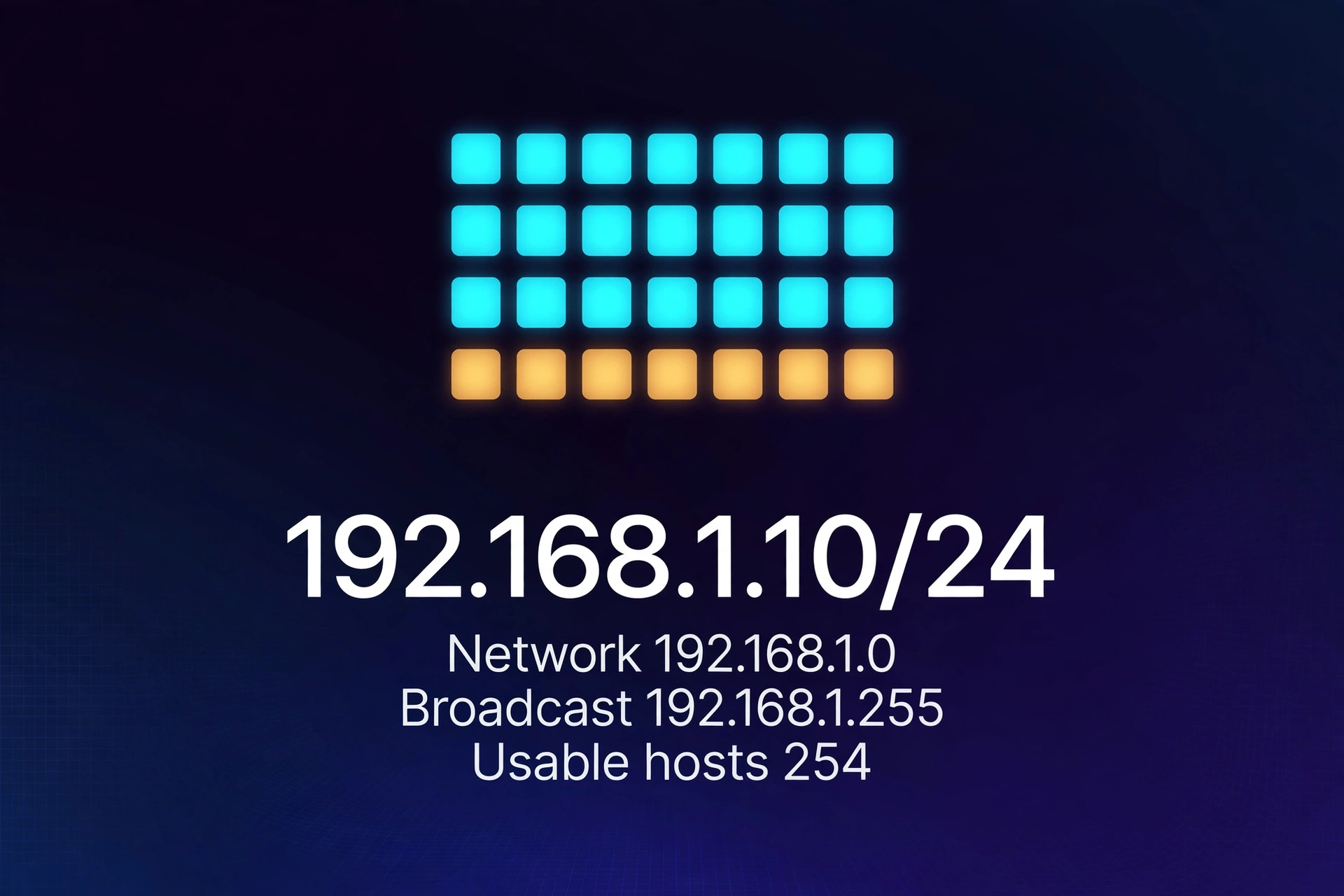
A worked example from the live tool
Start with the first verified test. Enter 192.168.1.10 with a CIDR prefix of 24. The prefix leaves 8 host bits, so the block holds 2 raised to the power of 8, which is 256 total addresses. The subnet mask is 255.255.255.0 and the wildcard mask is 0.0.0.255. The network address is 192.168.1.0 and the broadcast address is 192.168.1.255. The first usable host is 192.168.1.1 and the last usable host is 192.168.1.254, which gives 254 usable hosts. The first octet, 192, puts the address in Class C, and the 192.168 range is private under RFC 1918.
A second test uses a much larger block. Enter 10.0.0.5 with a CIDR prefix of 8. The prefix leaves 24 host bits, so the block holds 2 raised to the power of 24, which is 16,777,216 total addresses. The subnet mask is 255.0.0.0 and the wildcard mask is 0.255.255.255. The network address is 10.0.0.0 and the broadcast address is 10.255.255.255. The first usable host is 10.0.0.1 and the last usable host is 10.255.255.254, which gives 16,777,214 usable hosts. The first octet, 10, puts the address in Class A, and the 10 range is private under RFC 1918.
A third test uses a small block where the network boundary falls inside the last octet. Enter 172.16.5.100 with a CIDR prefix of 28. The prefix leaves 4 host bits, so the block holds 2 raised to the power of 4, which is 16 total addresses. The subnet mask is 255.255.255.240 and the wildcard mask is 0.0.0.15. The network address is 172.16.5.96 and the broadcast address is 172.16.5.111. The first usable host is 172.16.5.97 and the last usable host is 172.16.5.110, which gives 14 usable hosts. The first octet, 172, puts the address in Class B, and 172.16 falls inside the private 172.16/12 range.
Two more checks show how the tool behaves when the boundary falls in a middle octet. Enter 192.168.0.50 with a CIDR prefix of 22. The block holds 2 raised to the power of 10, which is 1,024 total addresses, with 1,022 usable. The mask is 255.255.252.0, the network address is 192.168.0.0, the broadcast address is 192.168.3.255, the first usable host is 192.168.0.1, and the last usable host is 192.168.3.254. Enter 10.20.30.40 with a CIDR prefix of 20. The block holds 2 raised to the power of 12, which is 4,096 total addresses, with 4,094 usable. The mask is 255.255.240.0, the network address is 10.20.16.0, the broadcast address is 10.20.31.255, the first usable host is 10.20.16.1, and the last usable host is 10.20.31.254. In both cases the entered address is not the network address, and the tool finds the network boundary for the reader.
What is subnetting?
Subnetting is the process of dividing one IP network into smaller networks, called subnets. An IPv4 address is 32 bits long, written as four octets. The subnet mask draws a line through those 32 bits: the bits on one side identify the network, and the bits on the other side identify a host inside that network. Moving the line changes the size of the subnets. Every extra network bit doubles the number of subnets and halves the number of hosts in each one.
Networks are divided for three practical reasons. The first is broadcast control: a broadcast packet reaches every device in its subnet, so a smaller subnet means fewer devices disturbed by each broadcast. The second is organisation: departments, floors, or sites can each have their own subnet, which makes the address plan readable and makes faults easier to trace. The third is security and routing: traffic between subnets must pass through a router, so a router can apply rules at the boundary between one subnet and the next.
Subnetting was standardised in RFC 950, the Internet Standard Subnetting Procedure, published in 1985. Before that, addresses were handed out in fixed classes, and a network could not be divided at all. Subnetting kept the same 32-bit addresses and added the mask, which let a network owner split one assigned block into as many smaller blocks as the mask allowed. CIDR, described in the next section, later removed the fixed classes altogether, but the mask and the network and broadcast addresses work the same way in both systems.
What is CIDR notation?
CIDR stands for Classless Inter-Domain Routing. CIDR notation writes a network as an address, a slash, and a number, such as 192.168.1.10/24. The number after the slash is the prefix length: the count of leading bits that belong to the network. In 192.168.1.10/24, the first 24 bits are network bits and the remaining 8 bits are host bits. The prefix can be any whole number from 0 to 32 for IPv4.
The prefix and the dotted subnet mask say the same thing in two forms. A /24 has 24 one-bits followed by 8 zero-bits, which grouped into four octets reads 255.255.255.0. A /28 has 28 one-bits followed by 4 zero-bits, which reads 255.255.255.240. A /8 has 8 one-bits followed by 24 zero-bits, which reads 255.0.0.0. The tool accepts either form, and it shows the other form in its results, so a reader can check the conversion in either direction.
A larger prefix means a smaller subnet. Each step up in prefix halves the block: a /24 holds 256 addresses, a /25 holds 128, a /26 holds 64, and a /30 holds 4. A smaller prefix means a larger subnet: a /23 holds 512 addresses, a /16 holds 65,536, and a /8 holds 16,777,216. The quick-reference table near the end of this article lists the mask, total addresses, and usable hosts for every prefix from /16 to /30, all computed from the same formula the tool uses.
CIDR replaced the old classful system, in which the first octet alone fixed the size of a network. Under that system a Class A network always held more than 16 million addresses and a Class C network always held 256, whether the owner needed that many or not. CIDR lets a network be sized to the need: a point-to-point link can take a /30 with 4 addresses, a small office can take a /26 with 64, and a large site can take a /20 with 4,096. The classes still appear in this tool as a label, because they are still asked about and still useful as a shorthand, but the prefix, not the class, decides the size of the subnet.
How are the network and broadcast addresses calculated?
The network address is found with a bitwise AND between the IP address and the subnet mask. AND is the operation that gives 1 only where both bits are 1. A subnet mask has 1s in the network bits and 0s in the host bits, so ANDing it with an address keeps the network bits as they are and turns every host bit to 0. The result is the first address of the subnet, the network address. It names the subnet itself, and it is not assigned to a device.
Take 192.168.1.10 with a /24 mask. In binary, the address is 11000000.10101000.00000001.00001010 and the mask is 11111111.11111111.11111111.00000000. ANDing them bit by bit gives 11000000.10101000.00000001.00000000, which is 192.168.1.0. The first three octets pass through unchanged because the mask is all 1s there, and the last octet becomes 0 because the mask is all 0s there. The host number 10 in the last octet is cleared, and the network address is what remains.
The broadcast address is found with a bitwise OR between the network address and the wildcard mask. OR is the operation that gives 1 wherever either bit is 1. The wildcard mask is the subnet mask with its 0s and 1s swapped, so its host bits are all 1. ORing it with the network address fills every host bit with 1, which gives the last address of the subnet, the broadcast address. A packet sent to the broadcast address is delivered to every host on the subnet at once, which is why the address is reserved and not assigned to a device.
For the same /24 example, the wildcard mask is 0.0.0.255, which in binary is 00000000.00000000.00000000.11111111. ORing it with the network address 192.168.1.0 gives 192.168.1.255. The first usable host is one above the network address, 192.168.1.1, and the last usable host is one below the broadcast address, 192.168.1.254. The same steps work when the boundary falls inside an octet. For 172.16.5.100/28, the last octet of the address is 100, which is 01100100 in binary, and the last octet of the mask is 240, which is 11110000. ANDing them gives 01100000, which is 96, so the network address is 172.16.5.96. ORing the network address with the wildcard value 15, which is 00001111, gives 01101111, which is 111, so the broadcast address is 172.16.5.111.
What is the difference between a subnet mask and a wildcard mask?
A subnet mask and a wildcard mask are mirror images of each other. The subnet mask has 1s where the network bits are and 0s where the host bits are. The wildcard mask has 0s where the network bits are and 1s where the host bits are. For a /24, the subnet mask is 255.255.255.0 and the wildcard mask is 0.0.0.255. For a /28, the subnet mask is 255.255.255.240 and the wildcard mask is 0.0.0.15. Adding the two masks octet by octet always gives 255 in each octet, because each bit is 1 in exactly one of the two masks.
The two masks are used in different places. The subnet mask is used by a host or router to work out which subnet an address belongs to, by ANDing the address with the mask. The wildcard mask is used in access lists and in routing protocols such as OSPF, where it says which bits of an address must match exactly and which bits may vary. A 0 in the wildcard mask means the matching bit must be the same; a 1 means the bit may be anything. That is why the wildcard mask is sometimes called the inverse mask.
The names are easy to mix up because both masks are written in the same dotted form. The check is simple: the subnet mask starts with 255s and ends with 0s, while the wildcard mask starts with 0s and ends with a small number. If a mask reads 255.255.255.0, it is a subnet mask. If it reads 0.0.0.255, it is the wildcard mask for the same subnet. This tool shows both, so the pair can be read side by side for the entered prefix.
How many usable hosts are in a subnet?
The total number of addresses in a subnet is 2 raised to the power of the host bits, where the host bits are 32 minus the prefix. A /24 has 8 host bits, so it holds 2 raised to the power of 8, which is 256 total addresses. A /28 has 4 host bits, so it holds 2 raised to the power of 4, which is 16 total addresses. A /8 has 24 host bits, so it holds 2 raised to the power of 24, which is 16,777,216 total addresses. The full table for /16 to /30 is given near the end of this article.
The usable host count is the total minus 2, for prefixes from /0 to /30. The 2 that are subtracted are the network address and the broadcast address, which are reserved and cannot be assigned to a device. A /24 therefore gives 256 minus 2, which is 254 usable hosts. A /28 gives 16 minus 2, which is 14 usable hosts. A /30 gives 4 minus 2, which is 2 usable hosts, which is exactly enough for a point-to-point link between two routers.
This minus-2 rule is the classic rule, and it is the rule this tool uses for every prefix, including /31 and /32. For /31 the total is 2 and the usable count under the classic rule is 0, and for /32 the total is 1 and the usable count is 0. The tool shows "—" for the first and last usable hosts in those two cases, and the network and broadcast addresses are still shown. Readers should know that a different convention exists: RFC 3021 defines /31 as a point-to-point link in which both addresses are usable, giving 2 usable hosts and no separate network or broadcast address. Some calculators follow RFC 3021 and report 2 usable hosts for a /31. This tool does not, and it states its rule in the tool and in this article so that its figures can be checked without surprise.
What are IP address classes?
IP address classes come from the original IPv4 design in RFC 791, published in 1981. The first octet of an address decided its class, and the class decided how many bits were network bits and how many were host bits. The classes are historical now, because CIDR lets any prefix be used with any address, but they are still taught, still asked about in exams, and still used as a shorthand for the size of a network.
| Class | First octet range | Default mask | Typical size |
|---|---|---|---|
| A | 1–126 | /8, 255.0.0.0 | 16,777,216 addresses |
| B | 128–191 | /16, 255.255.0.0 | 65,536 addresses |
| C | 192–223 | /24, 255.255.255.0 | 256 addresses |
| D | 224–239 | Multicast, no default mask | Multicast groups, not host networks |
| E | 240–255 | Reserved, no default mask | Reserved for experimental use |
Two first-octet values fall outside the five classes. A first octet of 0 is reserved for "this network" and is not assigned to a host. A first octet of 127 is the loopback range: 127.0.0.1 is the address a device uses to talk to itself, and packets sent there never leave the device. This tool labels a first octet of 0 as Reserved and a first octet of 127 as Loopback, rather than forcing either one into a class it does not belong to.
Class D addresses are multicast addresses. They identify a group of devices that want the same stream, rather than one device, so they are not divided into subnets in the usual way and a calculator result for a Class D address should be read as an address-range figure, not as a host network. Class E addresses are reserved for experimental use and are not assigned on the public internet. The class box in this tool is a label for the entered address, and the prefix entered by the reader, not the class, decides the subnet size in every result.
Which addresses are private and which are public?
A private address can be used inside a home or office network, but it is not routed on the public internet. A public address is routed on the public internet and must be unique worldwide. The private ranges are set out in RFC 1918, and there are three of them. The private or public box in this tool follows those three ranges exactly. That means a special address outside them, such as loopback 127.0.0.1, link-local 169.254.0.0/16, or a multicast address in 224.0.0.0/4, will show as Public in the tool even though it is not an ordinary public host address: loopback never leaves the device, link-local is for a single link only, and multicast identifies a group rather than one device. Read the class box alongside the private or public box for those addresses.
| Private range | CIDR block | Addresses in the block |
|---|---|---|
| 10.0.0.0–10.255.255.255 | 10.0.0.0/8 | 16,777,216 |
| 172.16.0.0–172.31.255.255 | 172.16.0.0/12 | 1,048,576 |
| 192.168.0.0–192.168.255.255 | 192.168.0.0/16 | 65,536 |
The counts follow the same power-of-two formula as the host counts. The 10 range has 24 host bits, so it holds 2 raised to the power of 24, which is 16,777,216 addresses. The 172.16 range has 20 host bits, so it holds 2 raised to the power of 20, which is 1,048,576 addresses. The 192.168 range has 16 host bits, so it holds 2 raised to the power of 16, which is 65,536 addresses. The 172 range is the one most often got wrong: it runs from 172.16.0.0 to 172.31.255.255, so 172.31.10.5 is private and 172.32.10.5 is public. Both were checked with Node while drafting, and both appear in the verified tests.
A home router normally hands out private addresses, most often from the 192.168 range, and translates them to a single public address when traffic goes out to the internet. That translation is called NAT, and it is the reason millions of homes can all use 192.168.1.1 at the same time without clashing: the addresses are only unique inside each home network. Entering a private address in this tool is the normal case for a home or office plan, and the private or public box is there to make that visible rather than to change any other result.
How do I choose a subnet size?
Choosing a subnet size means working backwards from the number of hosts a segment needs. Add 2 to the host count, for the network and broadcast addresses, then find the smallest power of 2 that is at least that large. That power of 2 is the total addresses the subnet must hold, and 32 minus the number of host bits it needs is the prefix. The table below covers the sizes most often used, from a /24 down to a /30.
| CIDR | Subnet mask | Total addresses | Usable hosts | Typical use |
|---|---|---|---|---|
| /24 | 255.255.255.0 | 256 | 254 | Standard office LAN or floor |
| /25 | 255.255.255.128 | 128 | 126 | Large department |
| /26 | 255.255.255.192 | 64 | 62 | Department of about 50 devices |
| /27 | 255.255.255.224 | 32 | 30 | Small department of about 25 devices |
| /28 | 255.255.255.240 | 16 | 14 | Small group or lab |
| /29 | 255.255.255.248 | 8 | 6 | Very small group |
| /30 | 255.255.255.252 | 4 | 2 | Point-to-point link between two routers |
Work through two sizing cases. A department needs room for 50 devices. Add 2 for the reserved addresses, which gives 52. The smallest power of 2 that covers 52 is 64, which needs 6 host bits. The prefix is 32 minus 6, which is 26, so the subnet is a /26 with the mask 255.255.255.192 and 62 usable hosts. A /27 would give only 30 usable hosts, which is too few, so /26 is the smallest size that fits. A small group needs room for 25 devices. Add 2, which gives 27. The smallest power of 2 that covers 27 is 32, which needs 5 host bits. The prefix is 32 minus 5, which is 27, so the subnet is a /27 with the mask 255.255.255.224 and 30 usable hosts.
Leave room for growth when sizing a subnet. A /27 that fits 25 devices today has only 5 spare addresses, so the next five devices force a renumbering. A /26 for the same group leaves 37 spare addresses, which is a more forgiving plan. The cost of the larger subnet is address space, which is cheap inside a private range, and the cost of the smaller subnet is a renumbering later, which is not. For public addresses the trade-off runs the other way, because public space is scarce, so size public subnets tightly and size private subnets with room to grow. To work out what share of a larger block a subnet takes, the percentage calculator gives the figure: a /24 is 256 out of 65,536 addresses in a /16, which is about 0.39 percent.
Splitting a larger block into equal smaller blocks uses the same arithmetic. Take 192.168.10.0/24 and split it into /27s. The prefix moves from 24 to 27, which is 3 extra network bits, so the split gives 2 raised to the power of 3, which is 8 subnets. Each /27 holds 32 addresses, so the subnets start 32 addresses apart: 192.168.10.0, 192.168.10.32, 192.168.10.64, 192.168.10.96, 192.168.10.128, 192.168.10.160, 192.168.10.192, and 192.168.10.224. Each one gives 30 usable hosts. The same method works for any split: the number of subnets is 2 raised to the power of the difference between the two prefixes, and the gap between subnet starts is the block size of the smaller prefix.
What are /31 and /32 for?
A /31 holds 2 total addresses and, under the classic rule this tool uses, 0 usable hosts. A /32 holds 1 total address and 0 usable hosts. Those two prefixes look useless under the classic rule, yet both have real uses, which is why they are worth a section of their own.
A /31 is used for point-to-point links between two routers. RFC 3021 defines the /31 so that both of its addresses can be used as host addresses on a point-to-point link, with no separate network or broadcast address. Under that convention a /31 gives 2 usable hosts. This tool follows the classic rule instead and reports 0 usable hosts for a /31, with "—" in the first and last usable host boxes. The difference is a matter of convention, not arithmetic: the total is 2 under both rules, and the network and broadcast addresses the tool shows (for example 192.168.1.10 and 192.168.1.11 for 192.168.1.10/31) are the two addresses in the block. A reader who is setting up a point-to-point link under RFC 3021 should assign those two addresses to the two ends of the link, and should know that this tool's usable-host figure for a /31 follows the classic convention.
A /32 is a single-host route. It holds one address, which is both the network address and the broadcast address under the tool's figures (for example 192.168.1.10/32 gives 192.168.1.10 for both). A /32 is used to identify one device exactly, most often as a loopback address on a router or as a host route that says "send traffic for this one address this way". It is not a network that hosts sit on, and the tool's 0 usable hosts reflect that. Entering a /32 for an address that is meant to sit on a larger network is a common error, and the 0 usable hosts in the result box is the signal that the prefix is wrong for that purpose.
What mistakes do people commonly make when subnetting?
The first mistake is counting the network and broadcast addresses as usable hosts. A /24 has 256 addresses, but only 254 of them can be assigned to a device. A plan that needs 256 hosts cannot use a /24, and a plan that needs 254 hosts is exactly full, with no room for a single extra device. The usable-hosts box in the tool is the figure to plan from, not the total-addresses box.
The second mistake is reading the mask backwards: treating 255.255.255.0 as if it meant 256 usable hosts in the last octet and forgetting that the last octet also loses its first and last values. The same error appears in the other direction, when a reader treats a /25 as if it held 128 usable hosts instead of 126. The minus 2 applies to every prefix from /0 to /30, and the quick-reference table in this article shows the usable figure next to the total so the two are not confused.
The third mistake is entering the network address when the tool asks for an address, or entering a host address and then reading the entered address as the network address. Any address in the block gives the same subnet, and the tool finds the network address from it: 192.168.1.10/24 and 192.168.1.200/24 give the same network address, 192.168.1.0. The entered address is a starting point, not the answer. The network address is the result box labelled as such.
The fourth mistake is mixing up the wildcard mask and the subnet mask. Entering 0.0.0.255 where a subnet mask is expected gives a /24 in the wrong direction, because 0.0.0.255 as a mask is not a run of 1 bits followed by 0 bits at all. This tool rejects a non-contiguous mask with a plain-language error, and the article's mask section gives the check: a subnet mask starts with 255s, a wildcard mask starts with 0s.
The fifth mistake is assuming an address is private because it looks familiar. The 172 range catches the most people: 172.16.0.0 to 172.31.255.255 is private, and 172.32.0.0 onwards is public. The private or public box in the tool exists for exactly this check, and the private-range table above gives the exact boundaries. The same care applies to the 10 range, which is all private from 10.0.0.0 to 10.255.255.255, and to the 192.168 range, which is all private from 192.168.0.0 to 192.168.255.255.
The sixth mistake is sizing a subnet from the number of devices today, with no room for growth, and the seventh is the opposite: giving a point-to-point link a whole /24 and wasting 252 addresses. The choosing-a-size section above covers both: add 2, take the smallest power of 2 that fits, and then step one size larger when the addresses are private and growth is likely.
What are the limits of this calculator?
This calculator works out one IPv4 subnet from one address and one prefix. It does not plan a set of subnets of different sizes from one larger block, which is called variable-length subnet masking, or VLSM. A VLSM plan takes a block such as 192.168.10.0/24 and carves it into a mix of sizes — a /26 for one department, two /27s for two smaller ones, and a /30 for a router link — and the pieces must fit together without overlapping. That is a design exercise done one block at a time with this tool, not a result this tool produces in one step.
It does not calculate IPv6 subnets. IPv6 addresses are 128 bits long, written in hexadecimal groups, and IPv6 has no broadcast address: the equivalent of a broadcast is a multicast to the all-nodes group. The formulas for total addresses change to 2 raised to the power of 128 minus the prefix, and the private-range and class ideas do not carry over in the same form. A reader who needs IPv6 should use a calculator built for it.
It does not check whether an address is already in use, whether a subnet overlaps another subnet, or whether a router is configured the way the plan says it should be. The tool works from the numbers entered and nothing else. It cannot see the live network, and a result that is arithmetically right can still be wrong for a real network if the entered prefix is not the prefix the router uses. Check the result against the router or switch configuration before changing a live setup.
It also does not reserve extra addresses the way some cloud platforms do. A cloud virtual network may reserve several addresses in each subnet for its own services, so a /24 there may give fewer than 254 usable hosts even though the arithmetic says 254. The tool reports the standard IPv4 figures, and a reader working in a cloud network should check the platform's own reservation rules on top of them. For other number and unit changes, see the unit converter, and for time-based calculations see the time distance speed calculator.
How can I check the tool against a known network?
The simplest check uses a network whose answer is already known. Enter 192.168.1.10/24 and check the ten boxes against the first verified test: network 192.168.1.0, broadcast 192.168.1.255, first usable host 192.168.1.1, last usable host 192.168.1.254, total 256, usable 254, mask 255.255.255.0, wildcard 0.0.0.255, Class C, private. Every box should match. If any box differs, the entered octets or the prefix differ from the test, and the error is in the input rather than in the tool.
A second check uses the mask field instead of the CIDR field. Enter 172.16.5.100 with the mask 255.255.255.240 and no CIDR prefix. The tool should give the same result as the third verified test: network 172.16.5.96, broadcast 172.16.5.111, first usable host 172.16.5.97, last usable host 172.16.5.110, total 16, usable 14, mask 255.255.255.240, wildcard 0.0.0.15, Class B, private. Then enter the same address with both a CIDR prefix of 28 and a mask of 255.255.255.0. The CIDR prefix wins, so the result should still be the /28 result, not the /24 result. That check confirms the CIDR-wins rule stated in the tool.
A third check uses the quick-reference table below. Pick a prefix from the table, enter any address with that prefix, and check the total and usable host boxes against the table row. The mask and wildcard mask boxes should also match the row. A fourth check uses a known boundary: enter 172.32.10.5 and confirm the private or public box says Public, then enter 172.31.10.5 and confirm it says Private. That pair checks the exact edge of the 172.16/12 private range.
The authoritative sources for the figures in this article are the standards themselves. IPv4 addressing and the original class definitions are in RFC 791, published by the Internet Engineering Task Force. The private address ranges are in RFC 1918. Both documents are free to read, and both are the reference a reader should turn to when two calculators disagree. For a related money-planning figure, the take home pay calculator works out net pay after deductions. More tools in the same collection are in the calculators category.
Quick-reference table: CIDR /16 to /30
Every row in this table was computed from the same formulas the tool uses: total addresses are 2 raised to the power of 32 minus the prefix, usable hosts are the total minus 2, the subnet mask is the prefix written as four dotted octets, and the wildcard mask is the subnet mask with its bits flipped.
| CIDR | Subnet mask | Wildcard mask | Total addresses | Usable hosts |
|---|---|---|---|---|
| /16 | 255.255.0.0 | 0.0.255.255 | 65,536 | 65,534 |
| /17 | 255.255.128.0 | 0.0.127.255 | 32,768 | 32,766 |
| /18 | 255.255.192.0 | 0.0.63.255 | 16,384 | 16,382 |
| /19 | 255.255.224.0 | 0.0.31.255 | 8,192 | 8,190 |
| /20 | 255.255.240.0 | 0.0.15.255 | 4,096 | 4,094 |
| /21 | 255.255.248.0 | 0.0.7.255 | 2,048 | 2,046 |
| /22 | 255.255.252.0 | 0.0.3.255 | 1,024 | 1,022 |
| /23 | 255.255.254.0 | 0.0.1.255 | 512 | 510 |
| /24 | 255.255.255.0 | 0.0.0.255 | 256 | 254 |
| /25 | 255.255.255.128 | 0.0.0.127 | 128 | 126 |
| /26 | 255.255.255.192 | 0.0.0.63 | 64 | 62 |
| /27 | 255.255.255.224 | 0.0.0.31 | 32 | 30 |
| /28 | 255.255.255.240 | 0.0.0.15 | 16 | 14 |
| /29 | 255.255.255.248 | 0.0.0.7 | 8 | 6 |
| /30 | 255.255.255.252 | 0.0.0.3 | 4 | 2 |
Frequently asked questions
1. How do I calculate the network address of a subnet?
AND the IP address with the subnet mask, bit by bit. The mask keeps the network bits and clears the host bits, so the result is the first address of the subnet. For 192.168.1.10 with the mask 255.255.255.0, the network address is 192.168.1.0.
2. How many usable hosts are in a /24 subnet?
A /24 has 256 total addresses and 254 usable hosts. The total is 2 raised to the power of 8, which is 256, and the usable count is the total minus 2 for the network and broadcast addresses. The usable range is 192.168.1.1 to 192.168.1.254 for the network 192.168.1.0/24.
3. What is the difference between a subnet mask and a wildcard mask?
A subnet mask has 1s in the network bits and 0s in the host bits, and a wildcard mask is its mirror image, with 0s in the network bits and 1s in the host bits. For a /24 the subnet mask is 255.255.255.0 and the wildcard mask is 0.0.0.255. The subnet mask is used to find the network address, and the wildcard mask is used in access lists and routing protocols.
4. What does /30 mean?
A /30 is a subnet with a prefix of 30, which leaves 2 host bits. It holds 4 total addresses and 2 usable hosts, with the mask 255.255.255.252. It is the usual size for a point-to-point link between two routers, because it gives exactly one address to each end.
5. How do I find the right subnet size for 50 hosts?
Add 2 for the network and broadcast addresses, which gives 52, then take the smallest power of 2 that covers 52, which is 64. That needs 6 host bits, so the prefix is 32 minus 6, which is 26. A /26 gives 62 usable hosts with the mask 255.255.255.192, and a /27 with 30 usable hosts is too small.
6. Is 192.168.1.1 a private IP address?
Yes. The range 192.168.0.0 to 192.168.255.255 is one of the three private ranges in RFC 1918, and it holds 65,536 addresses. Private addresses are used inside home and office networks and are not routed on the public internet. The other two private ranges are 10.0.0.0/8 and 172.16.0.0/12.
How do I calculate the network address of a subnet?
AND the IP address with the subnet mask, bit by bit. The mask keeps the network bits and clears the host bits, so the result is the first address of the subnet. For 192.168.1.10 with the mask 255.255.255.0, the network address is 192.168.1.0.
How many usable hosts are in a /24 subnet?
A /24 has 256 total addresses and 254 usable hosts. The total is 2 raised to the power of 8, which is 256, and the usable count is the total minus 2 for the network and broadcast addresses. The usable range is 192.168.1.1 to 192.168.1.254 for the network 192.168.1.0/24.
What is the difference between a subnet mask and a wildcard mask?
A subnet mask has 1s in the network bits and 0s in the host bits, and a wildcard mask is its mirror image, with 0s in the network bits and 1s in the host bits. For a /24 the subnet mask is 255.255.255.0 and the wildcard mask is 0.0.0.255. The subnet mask is used to find the network address, and the wildcard mask is used in access lists and routing protocols.
What does /30 mean?
A /30 is a subnet with a prefix of 30, which leaves 2 host bits. It holds 4 total addresses and 2 usable hosts, with the mask 255.255.255.252. It is the usual size for a point-to-point link between two routers, because it gives exactly one address to each end.
How do I find the right subnet size for 50 hosts?
Add 2 for the network and broadcast addresses, which gives 52, then take the smallest power of 2 that covers 52, which is 64. That needs 6 host bits, so the prefix is 32 minus 6, which is 26. A /26 gives 62 usable hosts with the mask 255.255.255.192, and a /27 with 30 usable hosts is too small.
Is 192.168.1.1 a private IP address?
Yes. The range 192.168.0.0 to 192.168.255.255 is one of the three private ranges in RFC 1918, and it holds 65,536 addresses. Private addresses are used inside home and office networks and are not routed on the public internet. The other two private ranges are 10.0.0.0/8 and 172.16.0.0/12.