What’s Missing Calculator
Enter any three of the four loan figures and tell the tool which one is missing: it will solve for the missing figure and show the total paid and the total interest.
A loan has four figures that always fit together: the amount borrowed, the monthly payment, the annual interest rate and the term in months. Give the tool any three and it works out the fourth. The calculation assumes a fixed rate, monthly payments and monthly compounding, with no fees or extra charges. Your entries stay in your browser.
A what's missing calculator is a loan tool that works backwards: you enter any three of the four loan figures — the loan amount, the monthly payment, the annual interest rate and the term in months — and it solves for the fourth. This page is about loans, not number-sequence puzzles: the missing figure here is always one of those four numbers.
How do I use the What's Missing Calculator?
Pick what is missing first. The dropdown at the top of the tool lists the four figures: monthly payment, annual interest rate, loan term and loan amount. Choose the one you do not know, and the box for that figure disappears, leaving the three boxes you need to fill in.
Enter the three figures you know. The loan amount is the sum borrowed, in your own currency. The monthly payment is the fixed amount paid every month. The annual interest rate is the yearly rate as a percentage, so 6 for 6%. The term is the number of monthly payments, as a whole number, so 60 for five years. Press Calculate and the tool shows the missing figure in the first result box, the other three figures as labelled boxes, and the total paid and the total interest over the life of the loan. A note under the results explains the working in plain words.
If an input is wrong, the tool shows a plain-language error and no results. A blank box is rejected with a message naming the box. A loan amount of 0 or below is rejected, and so is a monthly payment of 0 or below. A negative interest rate is rejected, but a rate of 0% is allowed: a loan with no interest is solved by straight division, so a loan of $12,000 at 0% over 12 months gives a payment of $1,000.00 a month. A term of 0 or below is rejected, and a term with a fraction, such as 60.5 months, is rejected with a message asking for a whole number of months.
Two errors are specific to the figures themselves, and both carry the numbers that explain them. If you ask for the term and the payment does not cover the monthly interest, the tool says so with both figures: a payment of $50.00 does not cover the monthly interest of $100.00 on a loan of $20,000.00 at 6%, so the balance would never fall. If you ask for the rate and the payment is too small to repay the loan even with no interest, the tool says so too: a payment of $1,000.00 cannot repay a loan of $100,000.00 in 60 months, because even at 0% the payment would need to be above $1,666.67. In both cases the answer is to enter a larger monthly payment, or to accept a longer term.
What does a worked example look like?
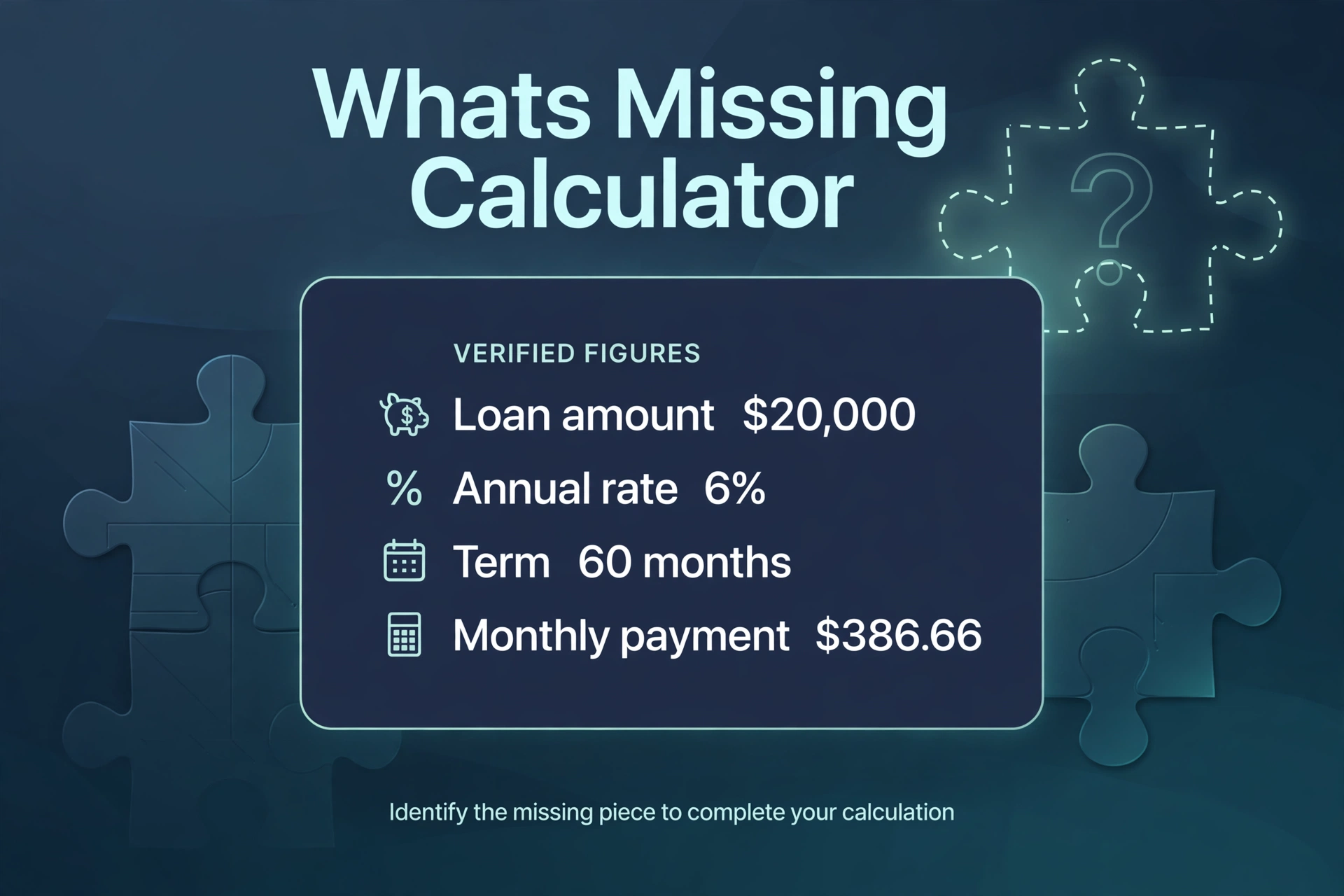
The same loan runs through all four examples below, so the four directions can be checked against each other: a loan of $20,000 at 6% over 60 months. The payment that belongs to those figures is $386.66, and every direction below returns to that same set of numbers.
First, solve for the payment. Enter a loan amount of $20,000, an annual rate of 6% and a term of 60 months, and ask for the monthly payment. The tool gives $386.66. The total paid is $23,199.36, which is 60 payments of $386.66, and the total interest is $3,199.36, which is the total paid minus the $20,000 borrowed. In the first month $100.00 of the payment is interest, because the monthly rate is 6% divided by 12, which is 0.5%, and 0.5% of $20,000 is $100.00. The other $286.66 comes off the balance, so after the first payment the balance is $19,713.34.
Second, solve for the rate. Enter a loan amount of $100,000, a monthly payment of $2,027.64 and a term of 60 months, and ask for the annual interest rate. The tool gives 8.00%. The total paid is $121,658.40, which is 60 payments of $2,027.64, and the total interest is $21,658.40. The check runs the other way: at 8% the payment on $100,000 over 60 months is $2,027.64, which matches the payment entered, so the rate is right.
Third, solve for the term. Enter a loan amount of $20,000, a monthly payment of $500 and an annual rate of 6%, and ask for the loan term. The tool gives 44.74 months, which is about 3 years and 9 months. The total paid is $22,370.09 and the total interest is $2,370.09. In practice that is 44 full payments of $500.00 and a final smaller payment of $370.33, because after 44 payments the balance left is $368.49 and one more month of interest brings it to $370.33.
Fourth, solve for the amount. Enter a monthly payment of $1,000, an annual rate of 5% and a term of 120 months, and ask for the loan amount. The tool gives $94,281.35. The total paid is $120,000.00, which is 120 payments of $1,000, and the total interest is $25,718.65. The check runs the other way: the payment on $94,281.35 at 5% over 120 months is $1,000.00, which matches the payment entered, so the amount is right.
What is a missing-variable loan calculation?
A loan has four figures that always fit together: the amount borrowed, the monthly payment, the annual interest rate and the term in months. A standard loan calculator takes three of them — amount, rate and term — and gives the fourth, the payment. A missing-variable calculation takes any three and gives whichever one is missing. The name comes from the way the question is asked: one figure is missing, and the other three are the clues.
The four figures are tied together by one equation, the amortisation formula, and that is why any three determine the fourth. The formula for the monthly payment is M = P × r × (1 + r)^n ÷ ((1 + r)^n − 1), where P is the loan amount, r is the monthly interest rate (the annual rate divided by 12, as a decimal) and n is the number of monthly payments. Every direction on this page is that same formula with a different unknown pulled out of it. The payment direction uses it as written. The amount direction rearranges it to P = M × ((1 + r)^n − 1) ÷ (r × (1 + r)^n). The term direction rearranges it with logarithms to n = −ln(1 − P × r ÷ M) ÷ ln(1 + r). The rate direction has no rearrangement that isolates the rate on its own, so the tool narrows the rate down step by step until the payment it produces matches the payment entered.
The point of solving for a missing figure is that real loan questions rarely arrive in the order a standard calculator wants them. A borrower usually knows the payment they can afford and wants to know how much they can borrow, or how long the loan will last. A borrower comparing two offers knows the amount, the payment and the term, and wants to know the rate hidden inside them. A borrower who has been paying for a year knows the balance, the rate and the payment, and wants to know how many months are left. In each case one figure is missing, and the other three are the whole question.
How do I find the monthly payment when it is the missing figure?
This is the most common direction, and it is the one a standard loan calculator answers. Enter the loan amount, the annual rate and the term, and ask for the monthly payment. The tool uses the amortisation formula directly: M = P × r × (1 + r)^n ÷ ((1 + r)^n − 1).
Take the loan of $20,000 at 6% over 60 months. The monthly rate is 6% divided by 12, which is 0.5%, or 0.005 as a decimal. The term is 60 monthly payments. Put those into the formula and the payment is $386.66. The total paid is 60 × $386.66, which is $23,199.36, and the total interest is $23,199.36 minus $20,000, which is $3,199.36.
The payment is mostly interest at first and mostly principal at the end, and the first month shows why. In the first month the interest is 0.5% of the full $20,000, which is $100.00, so $286.66 of the $386.66 comes off the balance. By the last month the balance is small, so the interest is small too: before the final payment the balance is $384.46, the interest on it is $1.92, and the final payment of $386.66 clears it. The payment never changes, but the split inside it shifts every month from interest towards principal. For a payment-only calculation with a full breakdown of that shift, the loan calculator gives the same payment figure.
A rate of 0% is the one case where the formula is not needed. With no interest the payment is the loan divided by the term, so $12,000 over 12 months is $1,000.00 a month and the total interest is $0.00. The tool handles that case by straight division. The same monthly-payment maths, expressed as an equated monthly instalment, is what the EMI calculator works out.
How do I find the interest rate when it is the missing figure?
This direction answers the question "what rate am I actually paying?" Enter the loan amount, the monthly payment and the term, and ask for the annual interest rate. The tool cannot rearrange the formula to isolate the rate, so it narrows the rate down instead: it tries a rate, works out the payment that rate would produce, and moves the rate up or down until the payment it produces matches the payment entered. That narrowing, called bisection, repeats until the rate is pinned down, and the tool shows the rate to two decimal places.
Take the loan of $100,000 with a payment of $2,027.64 over 60 months. The tool gives an annual rate of 8.00%. The total paid is 60 × $2,027.64, which is $121,658.40, and the total interest is $121,658.40 minus $100,000, which is $21,658.40. The check is to run the payment formula at 8%: the monthly rate is 8% divided by 12, which is 0.6667%, and the payment on $100,000 over 60 months at that rate is $2,027.64, which matches the payment entered.
This direction is the one to use when comparing offers. Two loans can have the same amount and the same term but different payments, and the difference between the payments is the difference between the rates. A loan of $100,000 over 60 months with a payment of $1,933.28 carries a rate of 6%, while the same loan with a payment of $2,027.64 carries a rate of 8%. The rate is the single number that makes two offers comparable when the amounts and terms already match. For a rate-only calculation, the rate calculator gives the same figure from the same three inputs.
This direction has a floor of its own. The payment must be above the loan divided by the term, because even with no interest the payment has to cover the principal: a loan of $100,000 over 60 months needs a payment above $1,666.67, so a payment of $1,000.00 has no rate that fits it at all. The tool rejects that case with the exact figure the payment would need to beat.
How do I find the loan term when it is the missing figure?
This direction answers the question "how long until I am done?" Enter the loan amount, the monthly payment and the annual rate, and ask for the loan term. The tool uses the logarithm form of the formula: n = −ln(1 − P × r ÷ M) ÷ ln(1 + r), where P is the loan amount, r is the monthly rate and M is the monthly payment. That formula is the same one given in the Sapling guide to calculating the months to pay off a loan.
Take the loan of $20,000 with a payment of $500 a month at 6%. The monthly rate is 0.5%, or 0.005, so the monthly interest on $20,000 is $100.00. The payment of $500 is well above that, so the loan is repaid. The tool gives a term of 44.74 months, which is about 3 years and 9 months. The total paid is 44.74 × $500, which is $22,370.09, and the total interest is $22,370.09 minus $20,000, which is $2,370.09.
The term is rarely a whole number, and the tool shows what that means in practice. A term of 44.74 months is 44 full payments of $500.00 and a final smaller payment of $370.33. After 44 payments the balance left is $368.49, and one more month of interest at 0.5% brings it to $370.33, which is the last payment. A lender would set the loan up as 45 payments with the last one smaller, or as 44 payments of $500 with a final payment of $370.33. Either way the borrower is done in under 45 months.
This direction has the hardest floor of the four, and it is the one that catches people out. The payment must be larger than the monthly interest charge, or the term has no answer: the balance never falls. On a loan of $20,000 at 6% the monthly interest is $100.00, so a payment of $50.00 would make the balance grow by $50.00 every month instead of shrinking it, and a payment of exactly $100.00 would leave the balance unchanged forever. The tool rejects both cases and shows the interest figure the payment has to beat. The quick-reference table near the end of this page shows how the term on that same $20,000 loan changes as the rate rises from 3% to 10% with the payment fixed at $500.
How do I find the loan amount when it is the missing figure?
This direction answers the question "how much can I borrow?" Enter the monthly payment, the annual rate and the term, and ask for the loan amount. The tool uses the rearranged formula: P = M × ((1 + r)^n − 1) ÷ (r × (1 + r)^n).
Take a payment of $1,000 a month at 5% over 120 months. The monthly rate is 5% divided by 12, which is 0.4167%. The tool gives a loan amount of $94,281.35. The total paid is 120 × $1,000, which is $120,000.00, and the total interest is $120,000.00 minus $94,281.35, which is $25,718.65. The check is to run the payment formula on $94,281.35 at 5% over 120 months, which gives a payment of $1,000.00, matching the payment entered.
This direction is the affordability direction, and it is the one to use before agreeing to a loan rather than after. A borrower who can pay $1,000 a month at 5% over 10 years can borrow $94,281.35, and no more, without the payment rising above $1,000. Borrowing $100,000 on the same rate and term would need a payment of $1,060.66, which is above the budget. The amount the tool gives is a ceiling set by the payment, the rate and the term together: change any one of the three and the ceiling moves. A longer term raises it, a higher rate lowers it, and a larger payment raises it. The home loan affordability calculator works the same question from the other side, starting from income instead of from a payment.
At a rate of 0% the answer is simple division again: a payment of $1,000 a month over 120 months supports a loan of $120,000.00 exactly, with no interest at all. That is the ceiling when interest is out of the picture, and every rate above 0% pulls the ceiling down from it.
How are the four figures connected?
The four figures move together, and changing one always moves at least one other. A longer term lowers the monthly payment but raises the total interest. A higher rate raises the payment and raises the total interest. A larger loan raises the payment. A larger payment shortens the term and lowers the total interest. None of the four can be changed on its own: the formula holds them together, and the tool is a way of seeing which one has to give.
The payment table below shows the first of those links for a loan of $20,000. Read across a row to see what a longer term does to the payment at one rate; read down a column to see what a higher rate does to the payment at one term. The payment at 3% over 72 months is $303.87, and the payment at 10% over 24 months is $922.90: the same $20,000 can cost three times as much per month depending on the rate and the term chosen.
The same loan can also be read as a split between principal and interest, and that split is where the total interest comes from. On the $20,000 loan at 6% over 60 months the total interest is $3,199.36, which is 16% of the amount borrowed. On the $100,000 loan at 8% over 60 months the total interest is $21,658.40, which is 21.66% of the amount borrowed. The interest share grows with the rate and with the term, and it is the figure that decides whether a loan is cheap or expensive over its whole life, not the monthly payment alone. To work a share out as a percentage of a total, the percentage calculator gives the figure.
One more connection is worth stating, because it is the link between the term direction and the amount direction. The amount still owed part-way through a loan is itself a missing-amount question: the balance after a number of payments is the loan amount that the remaining payments, at the same rate and over the remaining term, would support. After 12 payments of $386.66 on the $20,000 loan at 6%, the balance is $16,463.89. That figure is the amount the remaining 48 payments of $386.66 would support at 6%, and it is the starting point for any early settlement figure, before any settlement charges a lender may add, which this tool does not include.
When would I solve for each figure?
Solve for the payment when the loan is already chosen and the question is whether the monthly cost fits the budget. A borrower who has agreed a loan of $20,000 at 6% over 60 months wants one number, $386.66, and wants to know whether that number fits. This is the everyday use of the tool, and it is the direction every standard loan calculator answers.
Solve for the rate when the offer hides it. A loan advertisement may give the amount, the payment and the term without naming the rate, or two offers may differ only in the payment. The rate is the number that makes the offers comparable, and it is also the number to check against the rate quoted in the paperwork: if the rate the tool finds does not match the rate quoted, something in the offer — a fee rolled into the loan, a different term, a different amount — is not what it seems.
Solve for the term when the payment is fixed and the question is how long the debt lasts. A borrower who can pay $500 a month on a $20,000 loan at 6% is done in 44.74 months, about 3 years and 9 months. The same borrower paying $400 a month would take longer and pay more interest, and the term direction is the way to put a number on both. This direction is also the one to use when checking a payoff plan: enter the current balance as the loan amount, the current payment and the current rate, and the term it gives is the months left.
Solve for the amount when the payment is fixed and the question is how much can be borrowed. A borrower who can pay $1,000 a month at 5% over 10 years can borrow $94,281.35. That figure is the budget for the purchase, and it is set before the purchase is chosen, not after. This direction is the one to use when a payment limit is the starting point and the loan size is the unknown.
What are the limits of this calculator?
This tool assumes a fixed interest rate, equal monthly payments and monthly compounding, with no fees, no extra charges and no missed or extra payments. A loan that does not fit that shape will not be described correctly by the tool. A variable-rate loan changes its rate during the term, so the term and the total interest the tool gives are only correct while the rate stays where it was entered. A loan with fees rolled into the amount, an arrangement fee, or insurance added to the payment has a higher true cost than the tool shows, because the tool counts only principal and interest.
The tool does not fit a line of credit. A line of credit usually lets the borrower draw and repay in varying amounts, often with interest-only payments and a variable rate, so there is no fixed monthly payment and no fixed term for the formula to work with. The tool also does not price asset-based lending, where the amount that can be borrowed is set by the value of the collateral rather than by a payment. Both are named here so that a reader looking for those products knows this is not the tool for them.
The tool gives an early settlement starting point, not a settlement figure. The balance after a number of payments — $16,463.89 after 12 payments on the $20,000 loan at 6% — is the amount still owed before any settlement charges. A lender may add an early repayment charge, and the exact settlement figure comes from the lender, not from this tool.
Money figures are rounded to two decimal places and rates to two decimal places. The term is shown to two decimal places as well, because a term of 44.74 months is more useful than a rounded 45 when the final payment matters. The rounding is for display only: the totals are computed from the unrounded figures, so the total paid on the $20,000 loan at 6% over 60 months is $23,199.36, which is 60 × $386.66, and the total interest is $3,199.36.
This page gives general information about loan arithmetic. It is not financial advice, and it does not take the place of a lender's own figures or a qualified adviser's judgement. Rates, fees, tax rules and lender terms change, so confirm the figures with the lender before making a decision.
What mistakes do people commonly make?
The first mistake is entering the annual rate as a monthly rate, or the term in years instead of months. A rate of 6% a year is 0.5% a month, and a term of 5 years is 60 months. Entering 6 as the monthly rate would price the loan at 72% a year, and entering 5 as the term would price a 5-month loan. The tool asks for the annual rate as a percentage and the term in months, and the boxes say so, but the check is simple: if the payment looks far too high, the rate or the term was probably entered in the wrong unit.
The second mistake is choosing a payment that does not cover the interest. A payment below the monthly interest charge never repays the loan, and a payment equal to it never moves the balance. On $20,000 at 6% the monthly interest is $100.00, so any payment at or below $100.00 has no term at all. The tool rejects those cases, but a borrower who sees the error should raise the payment or accept that the loan cannot be repaid on those terms.
The third mistake is forgetting fees and extra charges. The tool counts principal and interest only. A loan with an arrangement fee, insurance or a charge added to the balance costs more than the tool shows, and the rate the tool finds from the payment will be higher than the headline rate if those charges are inside the payment. Compare the tool's rate with the rate in the paperwork, and treat a gap between them as a sign that something else is inside the payment.
The fourth mistake is reading the solved term as a whole number of payments. A term of 44.74 months is not 45 payments of $500.00: it is 44 full payments and a final payment of $370.33. Treating it as 45 full payments overstates the total paid by $129.91, which is the difference between $22,500.00 and $22,370.09. The tool's note gives the final payment, and it is worth reading.
The fifth mistake is treating the solved loan amount as a promise. The amount the tool gives is the largest loan that the payment, rate and term support on paper. Whether a lender will lend that amount depends on income, credit history and the lender's own rules, none of which the tool knows. The figure is a ceiling for planning, not an approval.
The sixth mistake is solving for the wrong figure. A borrower who wants to know how much they can borrow should solve for the amount, not the payment, and a borrower who wants to know when the loan ends should solve for the term, not the rate. The dropdown at the top of the tool exists so the question is asked the right way round: pick the figure that is actually missing before entering the other three.
How can I check the tool against a known result?
The simplest check uses the first worked example. Choose "Monthly payment" as the missing figure, enter a loan amount of 20000, an annual rate of 6 and a term of 60. The tool should show a monthly payment of $386.66, a total paid of $23,199.36 and a total interest of $3,199.36. The note should say that in the first month $100.00 of the payment is interest and $286.66 comes off the balance.
A second check uses the rate direction. Choose "Annual interest rate" as the missing figure, enter a loan amount of 100000, a monthly payment of 2027.64 and a term of 60. The tool should show an annual interest rate of 8% and a total interest of $21,658.40. The note should say that at 8% the payment on $100,000.00 over 60 months is $2,027.64.
A third check uses the term direction. Choose "Loan term" as the missing figure, enter a loan amount of 20000, a monthly payment of 500 and an annual rate of 6. The tool should show a loan term of 44.74 months, a total paid of $22,370.09 and a total interest of $2,370.09. The note should say that is about 3 years and 9 months, and that in practice it is 44 full payments of $500.00 and a final smaller payment of $370.33.
A fourth check uses the amount direction. Choose "Loan amount" as the missing figure, enter a monthly payment of 1000, an annual rate of 5 and a term of 120. The tool should show a loan amount of $94,281.35, a total paid of $120,000.00 and a total interest of $25,718.65.
A fifth check tests the errors. Choose "Loan term" as the missing figure, enter a loan amount of 20000, a monthly payment of 50 and an annual rate of 6. The tool should show the error "A payment of $50.00 does not cover the monthly interest of $100.00 on a loan of $20,000.00 at 6%. The balance would never fall. Enter a larger monthly payment." with no results. Leave the loan amount blank in any mode and the tool should show the error "Enter the loan amount." with no results. Enter a term of 60.5 and the tool should show the error "Enter the term as a whole number of months." with no results.
A sixth check tests the zero-rate case. Choose "Monthly payment" as the missing figure, enter a loan amount of 12000, an annual rate of 0 and a term of 12. The tool should show a monthly payment of $1,000.00, a total paid of $12,000.00 and a total interest of $0.00. Choose "Loan term" as the missing figure, enter a loan amount of 12000, a monthly payment of 1000 and an annual rate of 0. The tool should show a loan term of 12 months and a note saying that is exactly 1 year.
The term formula behind the tool is stated in the Sapling guide to calculating the months to pay off a loan, which gives N = −[ln(1 − (PV × i) / PMT) / ln(1 + i)]. More tools in the same collection are in the calculators category.
What is the monthly payment on a $20,000 loan?
Every figure in this table was computed with the same arithmetic the tool uses. Read across a row to see how a longer term lowers the payment at one rate; read down a column to see how a higher rate raises the payment at one term.
| Annual rate | 24 months | 36 months | 48 months | 60 months | 72 months |
|---|---|---|---|---|---|
| 3% | $859.62 | $581.62 | $442.69 | $359.37 | $303.87 |
| 5% | $877.43 | $599.42 | $460.59 | $377.42 | $322.10 |
| 6% | $886.41 | $608.44 | $469.70 | $386.66 | $331.46 |
| 8% | $904.55 | $626.73 | $488.26 | $405.53 | $350.66 |
| 10% | $922.90 | $645.34 | $507.25 | $424.94 | $370.52 |
Two patterns in the table are worth reading. First, the payment falls as the term lengthens at every rate: at 6% it drops from $886.41 over 24 months to $331.46 over 72 months. Second, the payment rises as the rate rises at every term: over 60 months it rises from $359.37 at 3% to $424.94 at 10%. The table does not show the cost of the longer term, which is the total interest: at 6% over 24 months the total paid is $21,273.89, and over 72 months it is $23,864.96, so the lower payment costs $2,591.07 more in interest. A longer term always trades a smaller payment for a larger total.
How long does $500 a month take to repay $20,000?
Every figure in this table was computed with the same arithmetic the tool uses. The payment is fixed at $500 a month and the loan is $20,000; only the rate changes.
| Annual rate | Term | Total paid | Total interest |
|---|---|---|---|
| 3% | 42.20 months | $21,098.43 | $1,098.43 |
| 5% | 43.85 months | $21,924.14 | $1,924.14 |
| 6% | 44.74 months | $22,370.09 | $2,370.09 |
| 8% | 46.68 months | $23,339.07 | $3,339.07 |
| 10% | 48.86 months | $24,429.13 | $4,429.13 |
The pattern is that a higher rate stretches the term and raises the total interest at the same time. At 3% the loan is done in 42.20 months with $1,098.43 of interest; at 10% it takes 48.86 months with $4,429.13 of interest. The payment never changes, so the whole cost of the higher rate lands on the term and the total. That is why the rate matters even when the payment is fixed: the same $500 a month buys a finish date more than half a year earlier at 3% than at 10%.
Frequently asked questions
What is a what's missing calculator?
A what's missing calculator is a loan tool that solves for whichever of the four loan figures is missing. You enter the loan amount, the monthly payment, the annual interest rate and the term in months — any three of the four — and the tool works out the fourth, plus the total paid and the total interest. It is a loan calculator that works backwards from the figure you do not know.
How do I find the monthly payment on a loan?
Enter the loan amount, the annual rate and the term, and ask for the monthly payment. For a loan of $20,000 at 6% over 60 months the payment is $386.66, the total paid is $23,199.36 and the total interest is $3,199.36. In the first month $100.00 of the payment is interest and $286.66 comes off the balance.
How do I find the loan term when I know the payment?
Enter the loan amount, the monthly payment and the annual rate, and ask for the loan term. For a loan of $20,000 with a payment of $500 a month at 6% the term is 44.74 months, about 3 years and 9 months. In practice that is 44 full payments of $500.00 and a final smaller payment of $370.33. The payment must be larger than the monthly interest — $100.00 on this loan — or the loan is never repaid.
How do I find the interest rate on a loan?
Enter the loan amount, the monthly payment and the term, and ask for the annual interest rate. For a loan of $100,000 with a payment of $2,027.64 over 60 months the rate is 8.00%. The tool narrows the rate down until the payment it produces matches the payment entered, and the check is that at 8% the payment on $100,000 over 60 months is $2,027.64.
How do I find how much I can borrow from a monthly payment?
Enter the monthly payment, the annual rate and the term, and ask for the loan amount. A payment of $1,000 a month at 5% over 120 months supports a loan of $94,281.35, with a total paid of $120,000.00 and total interest of $25,718.65. Borrow more than that at the same rate and term and the payment rises above $1,000.
What if my payment does not cover the interest?
Then the loan can never be repaid, and the tool says so instead of giving a term. On a loan of $20,000 at 6% the monthly interest is $100.00, so a payment of $50.00 makes the balance grow by $50.00 every month, and a payment of exactly $100.00 leaves the balance unchanged forever. The answer is to enter a larger monthly payment, or to accept a smaller loan at the same rate.